

XLUNA Transcribe Pro
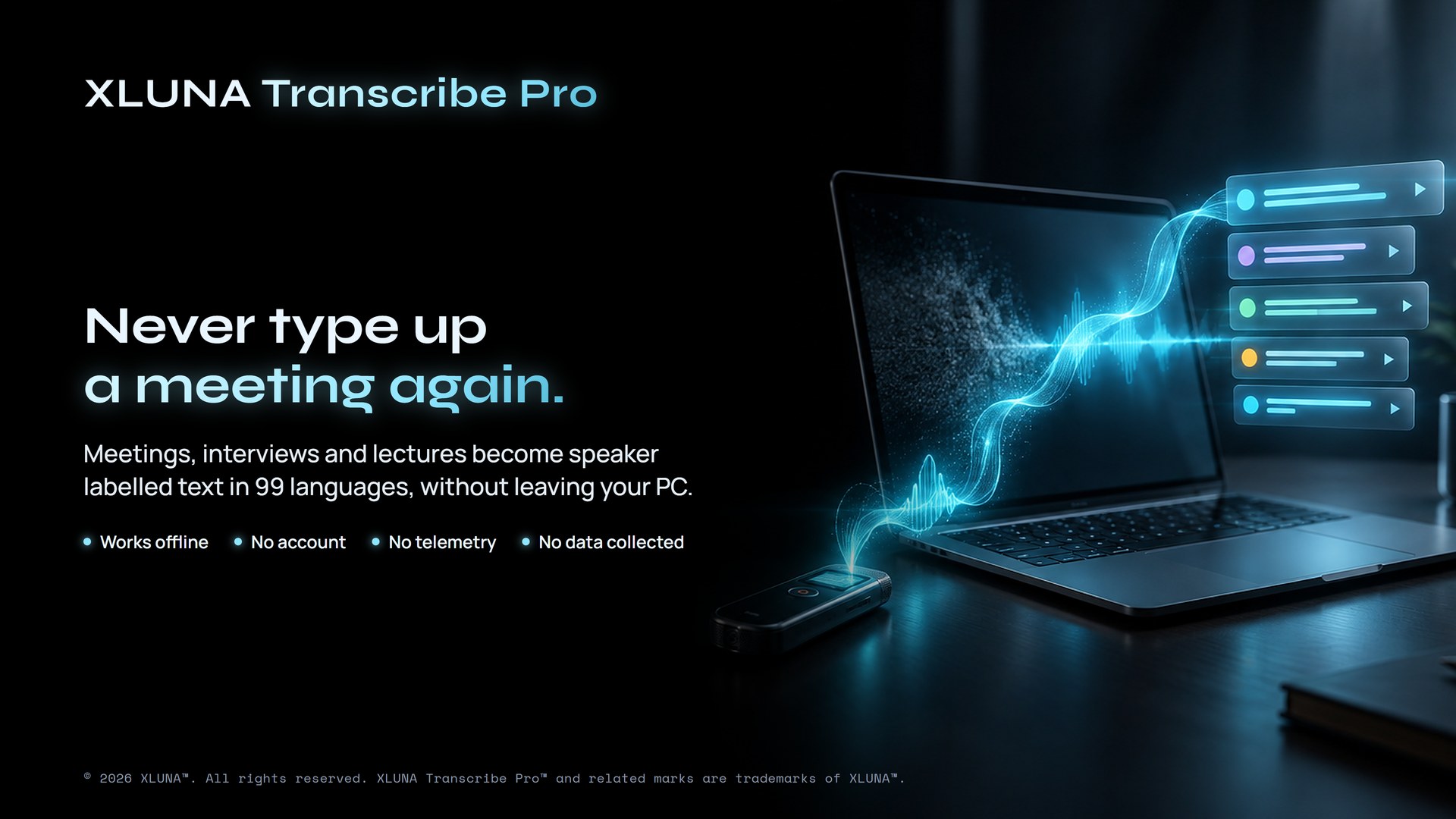
Never type up a meeting again. Speaker labelled transcripts in 99 languages, with summaries, translation and subtitles, made on your own PC. No upload, no account.
What XLUNA Transcribe Pro does for you
Drop in a meeting, an interview or a lecture and XLUNA Transcribe Pro turns it into a timed transcript with every speaker labelled, on your own PC. Queue a whole day of recordings and they are transcribed one after another while you get on with your day.
Choose the spoken language from 99 or let it detect it, and pick Fast, Balanced or Precise accuracy. In Review, click any time to hear that moment, fix words in place, rename and merge speakers, and check the words the recogniser was unsure of. Search every transcript in the Library by what was said.
Write a summary with key points and action items, or translate a transcript into 30 languages with speaker names kept, both on your PC and clearly marked as AI generated. Export SRT or WebVTT subtitles timed to the words, a Word document, PDF, CSV, JSON or plain text.
What you get
- Speaker labelled transcripts in 99 languages, made on your PC
- Fast, Balanced and Precise accuracy
- Click any time to hear that moment and fix words in place
- Summaries with action items, and translation into 30 languages
- SRT, WebVTT, Word, PDF, CSV, JSON and text export
- Batch queue, watch folder and recording from the microphone or PC sound
What makes XLUNA Transcribe Pro premium
Who said what
Every line is labelled with its speaker, worked out on your PC. Rename a speaker once and every line follows.
Checked by ear
Click any time to hear that moment, fix words in place, and see the words the recogniser was unsure of.
Notes and languages
A summary with key points and action items, or the whole transcript in any of 30 languages, both marked as AI generated.
Nothing uploaded
Speech recognition, speaker labels, summaries and translation all run on your own PC, with no minutes limit.
See it on a real desktop
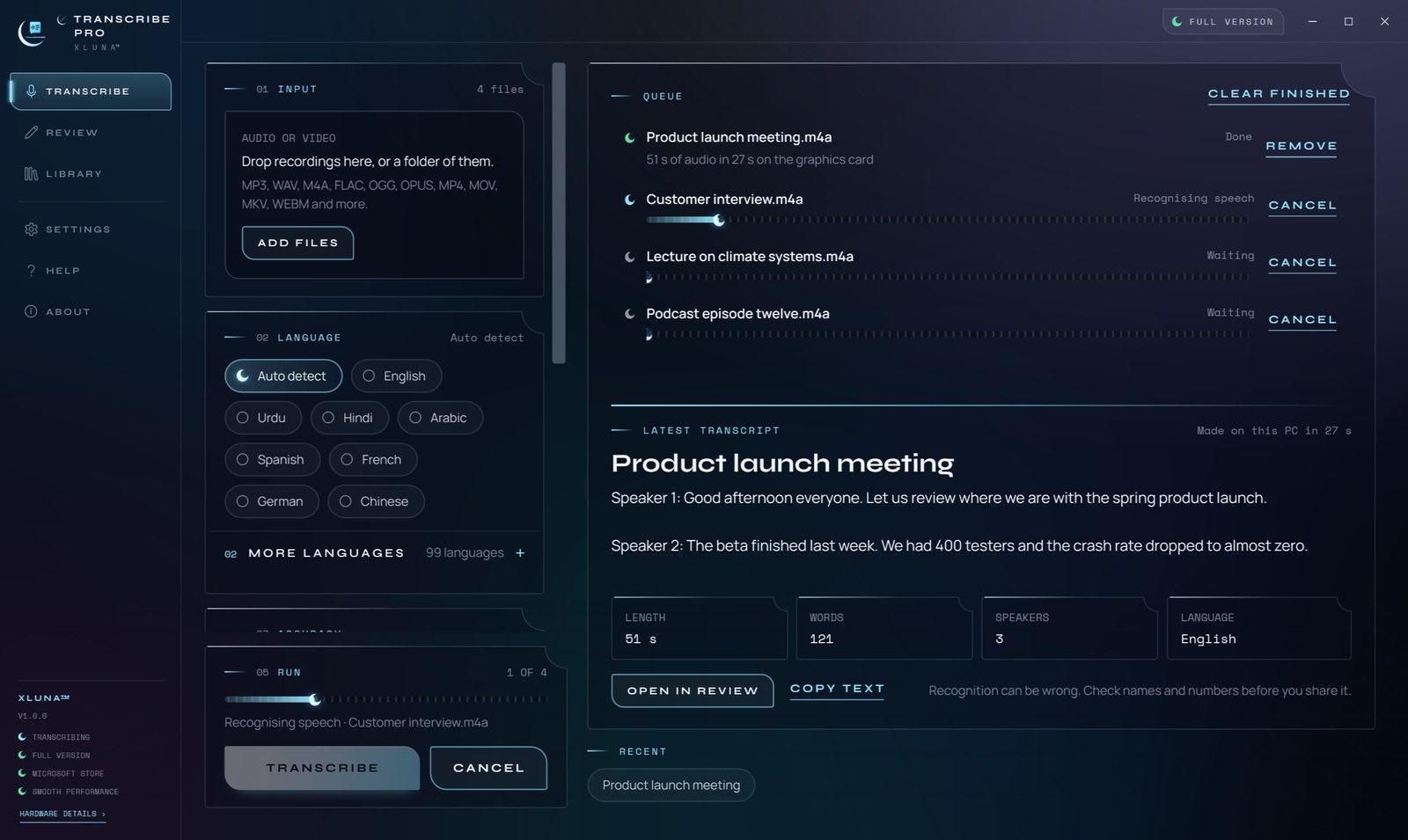 Transcribe, with the queue, language choice and the latest transcript
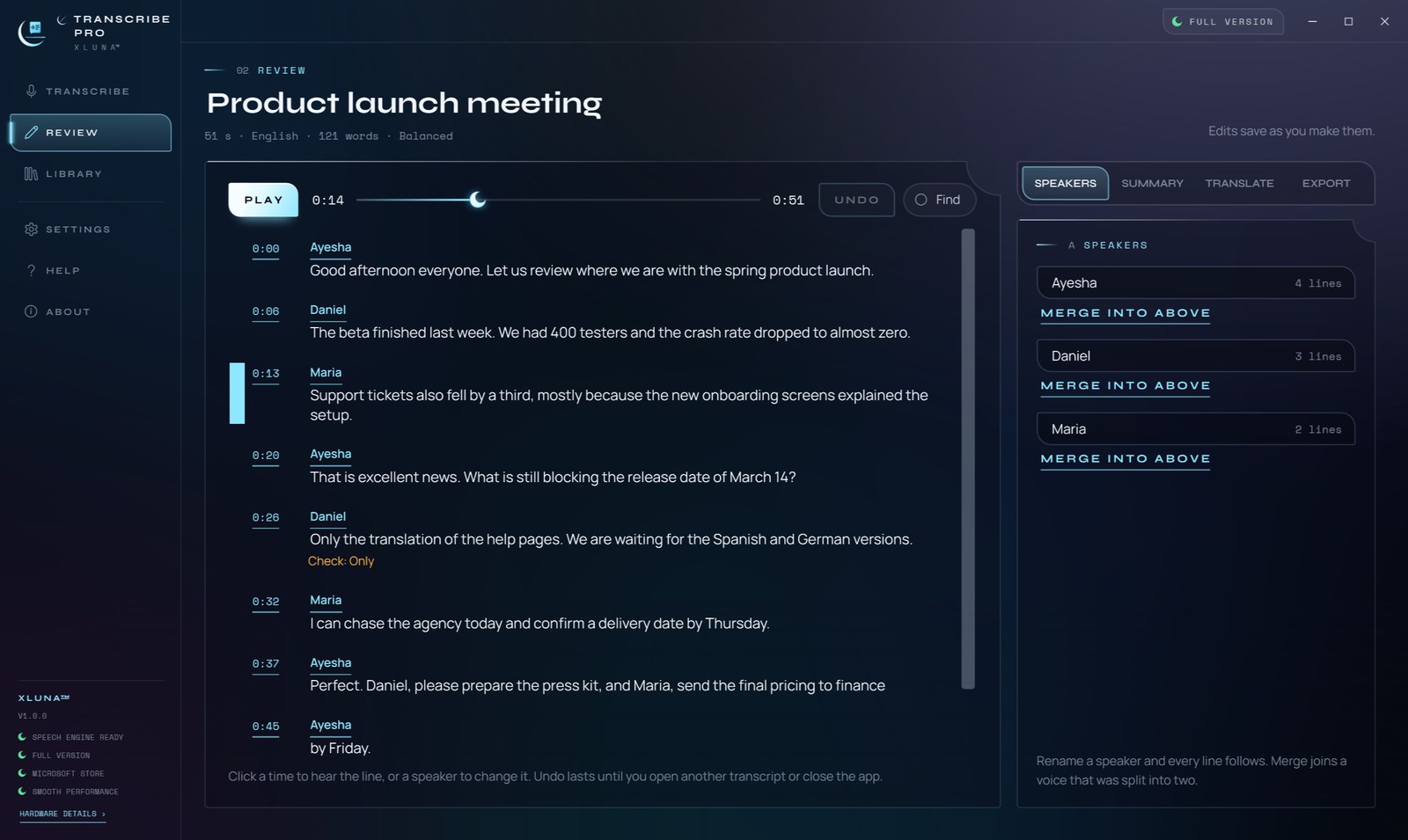 Review, with every speaker labelled and click to hear
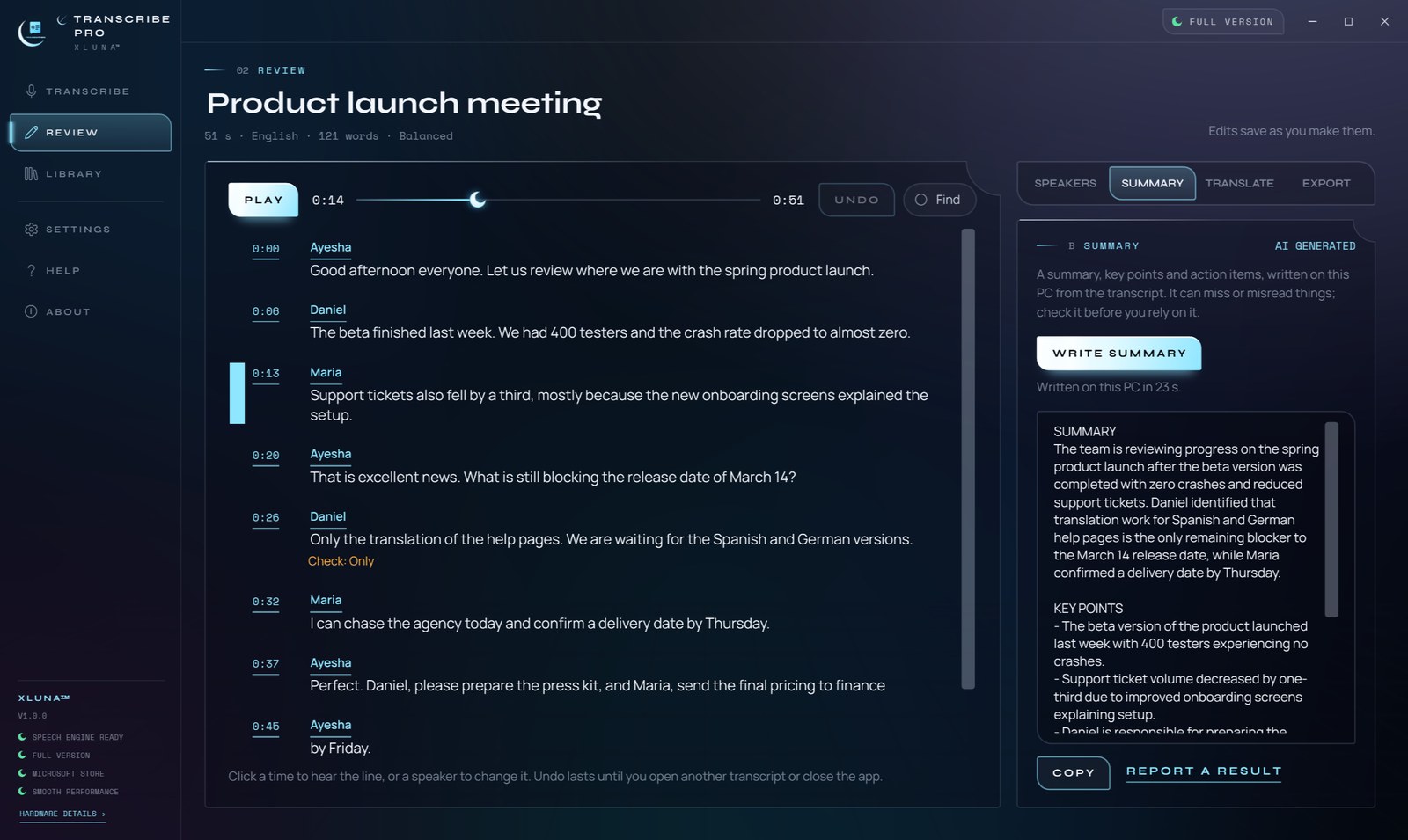 Review, with a summary, key points and action items
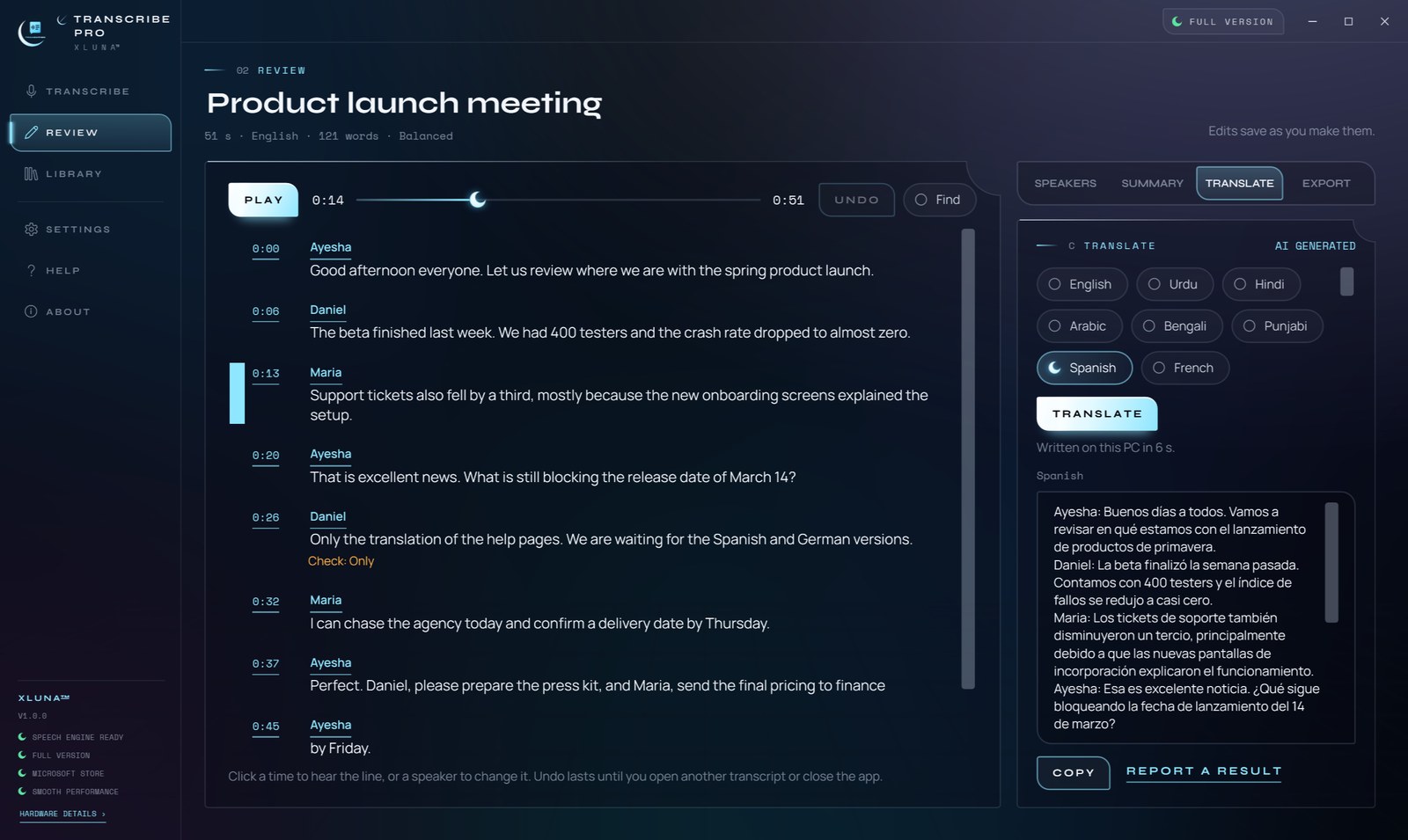 Review, with the transcript translated into Spanish
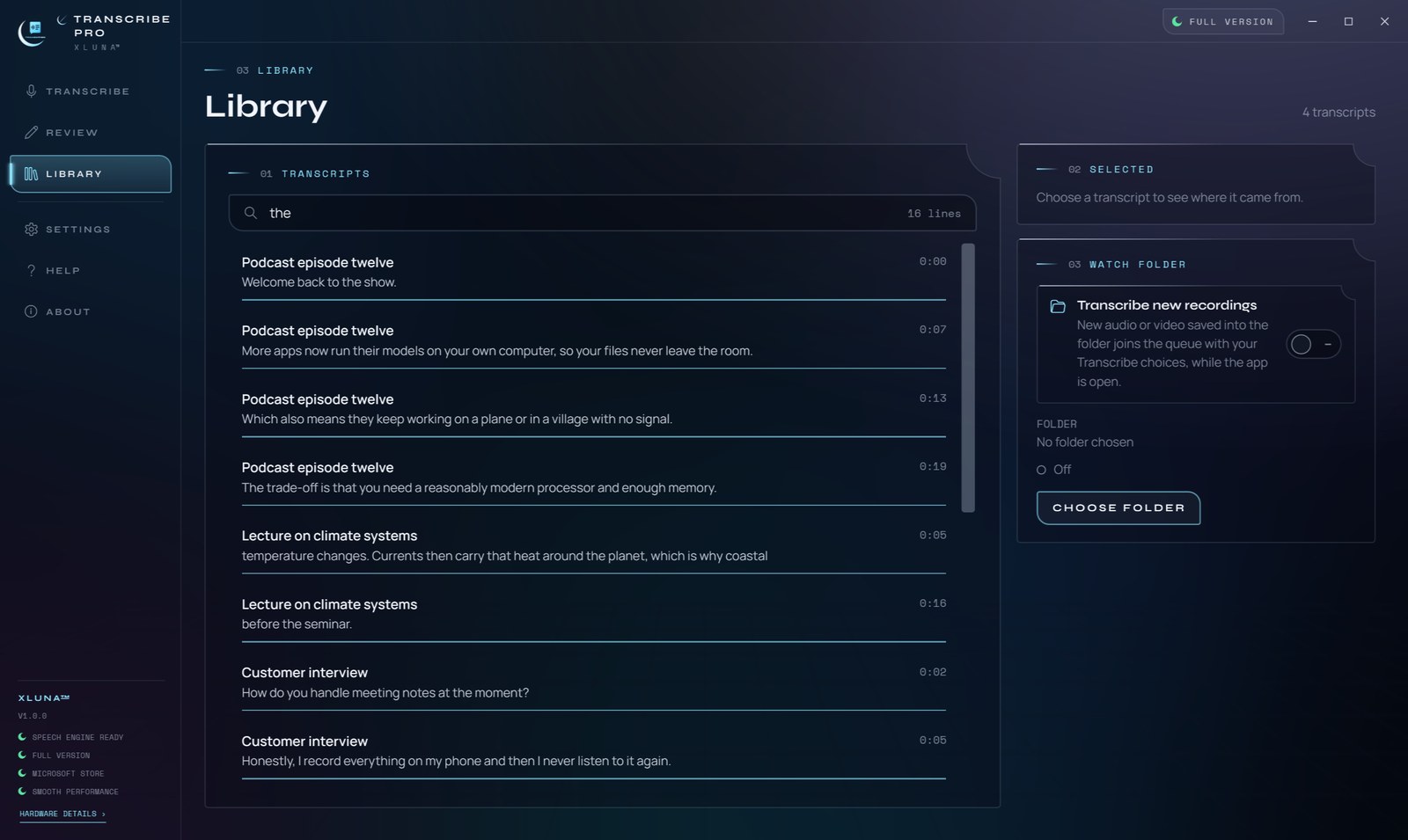 Library, with search across every transcript
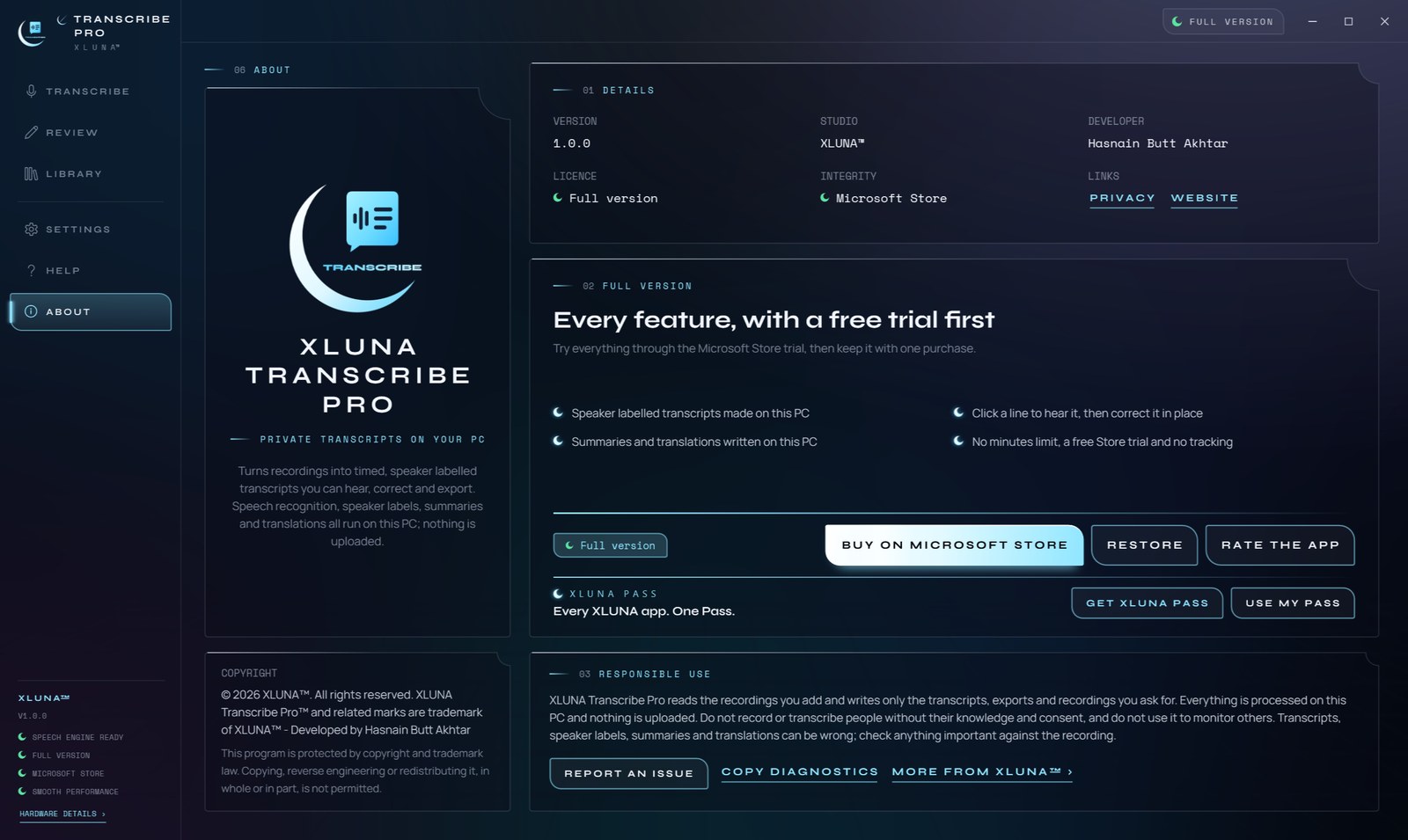 About, with the licence, XLUNA Pass and responsible use details
Before you install
- Platforms
- Windows 10 (version 2004 or later) and Windows 11, x64
- Pricing
- Single purchase, lifetime licence · the Store shows your local price
- Trial
- 24 hours with every feature
- Updates
- Included
- Account
- Not required
- Processor
- 4 cores minimum, 6 or more recommended
- Memory
- 8 GB minimum, 16 GB recommended
- Graphics card
- Not required; a dedicated card with 4 GB of video memory speeds up Precise accuracy
- Storage
- 7 GB free for the app, plus space for transcripts
- Internet
- Not needed to transcribe, summarise or translate
- Get it from
- Microsoft Store, coming soon
- Developer
- XLUNA™
Your data stays on your PC
Read the full XLUNA Transcribe Pro privacy policy, or the studio's privacy-first promise.
XLUNA Transcribe Pro against the usual way
| Compared | XLUNA Transcribe Pro | A typical cloud app |
|---|---|---|
| How you pay | Buy once and own it forever, or XLUNA Pass if you choose | Often a subscription with no other option |
| Account | None | Usually required |
| Your data | Stays on your PC | Often sent to company servers |
| Adverts and tracking | None | Common |
| Works offline | Yes, transcription never needs the internet | Often not |
| Try before you buy | 24 hours, every feature | Often a limited free tier |
Questions before you buy
Does XLUNA Transcribe Pro upload my recordings?
No. Speech recognition, speaker labels, summaries and translation all run on your PC. Recordings and transcripts are never uploaded.
Is there a limit on how much I can transcribe?
No. There is no minutes limit; queue as many recordings as you like.
Which files can it transcribe?
Audio and video such as MP3, WAV, M4A, AAC, FLAC, OGG, OPUS, WMA, MP4, MOV, MKV, WEBM and AVI.
When does it use the microphone?
Only while you record in the app. You can record the microphone, the PC's own sound or both, then transcribe it.
Do I need an account?
No. There is nothing to sign up for or sign in to. You install it from the Microsoft Store and it works.
What happens when the 24-hour trial ends?
The app asks you to buy it on the Microsoft Store to keep using it. Nothing is charged automatically, and your settings stay on your PC.
Be first when XLUNA Transcribe Pro lands
Send a note and the studio will tell you the day it arrives on the Microsoft Store, with a 24 hour free trial ready to go.