


XLUNA DJ Elite
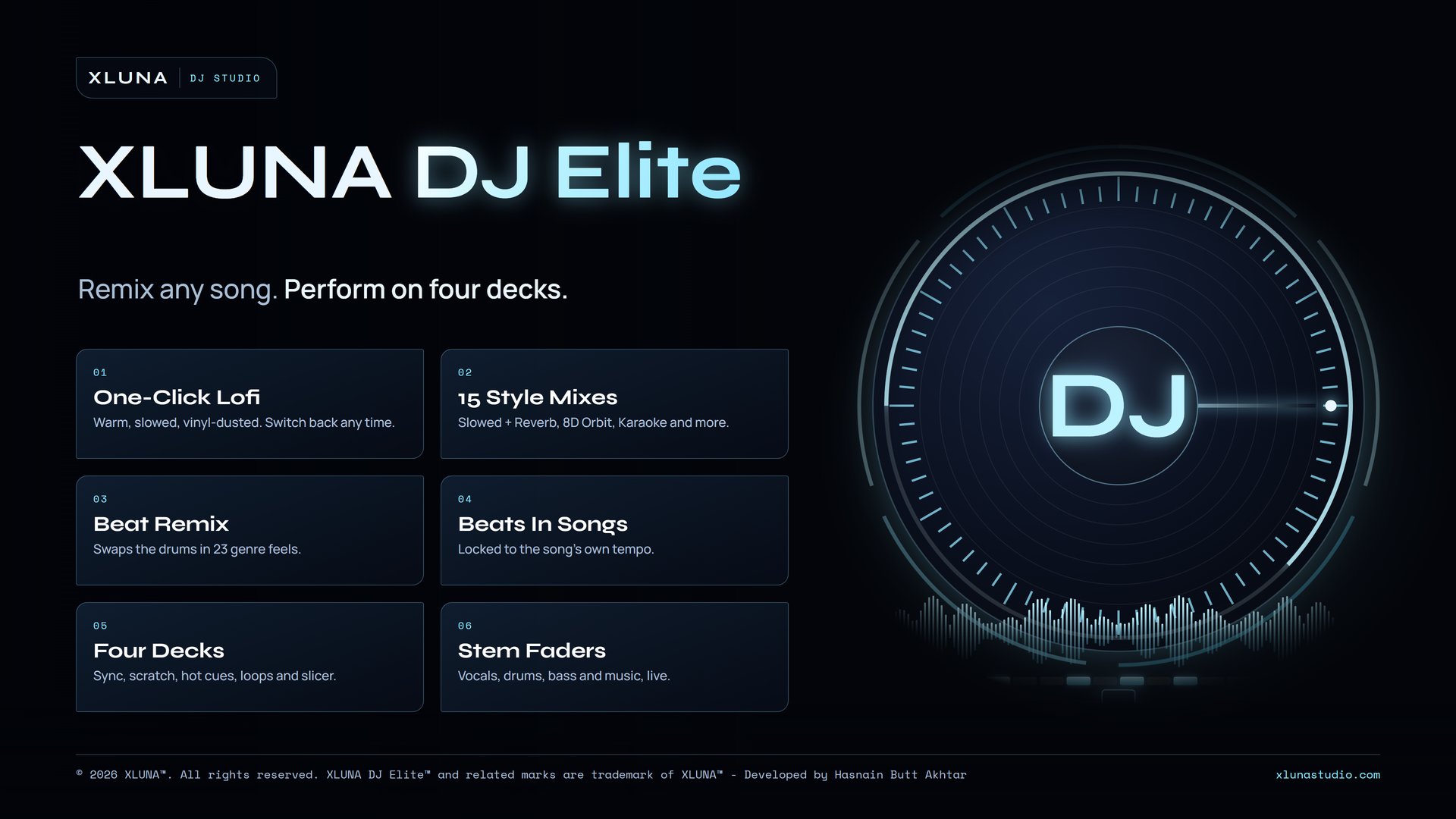
Remix any song. Perform on four decks. Turn a song into lofi in one click, give it a new beat, build your own beats and perform it all on four decks, with your music kept on your PC.
What XLUNA DJ Elite does for you
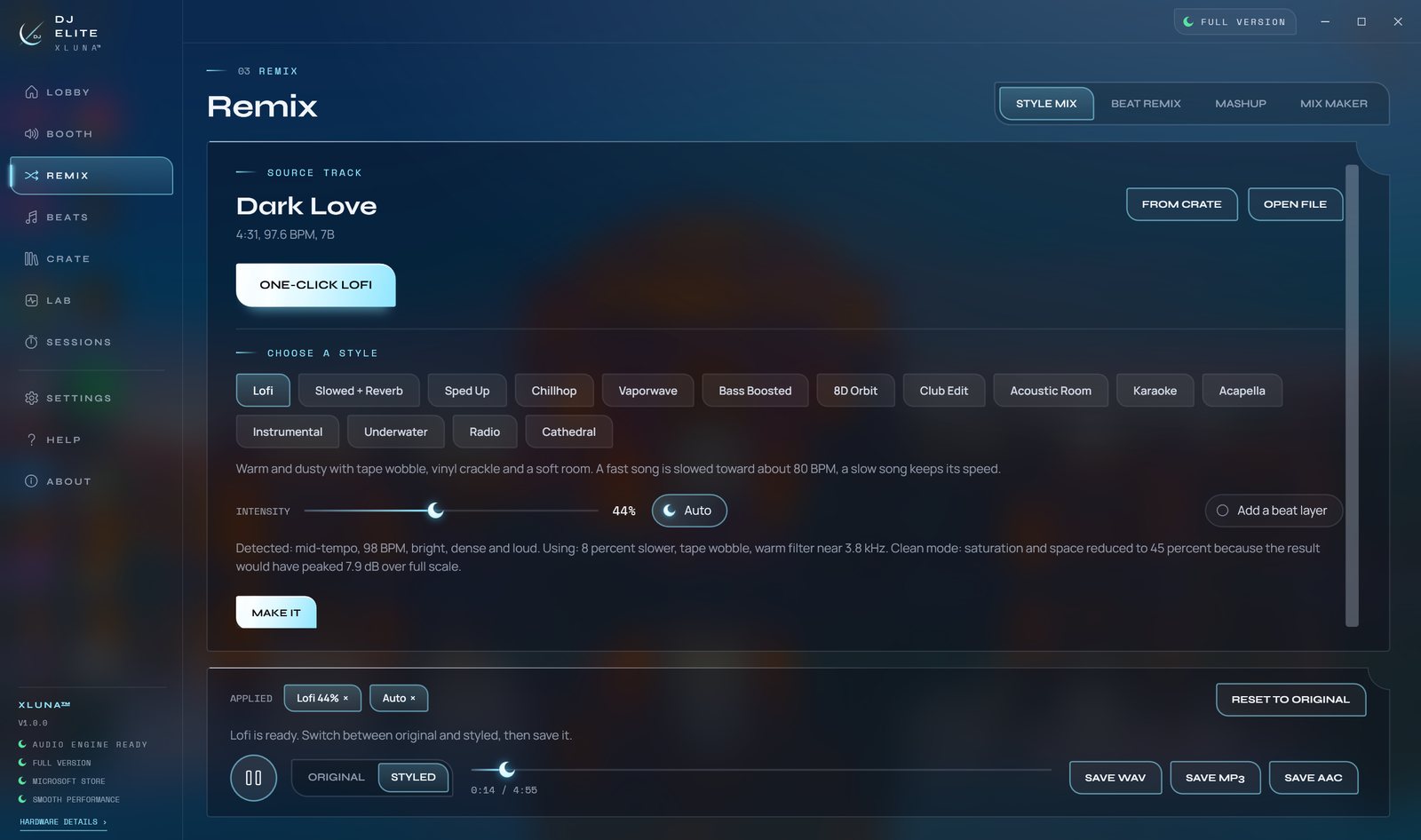
Press one button and a song you own becomes a lofi mix, a Slowed + Reverb version or a Club Edit. XLUNA DJ Elite reads the song first and sets the speed, tone and space to suit it, then lets you flip between the original and the result before you save it as WAV, MP3 or AAC.
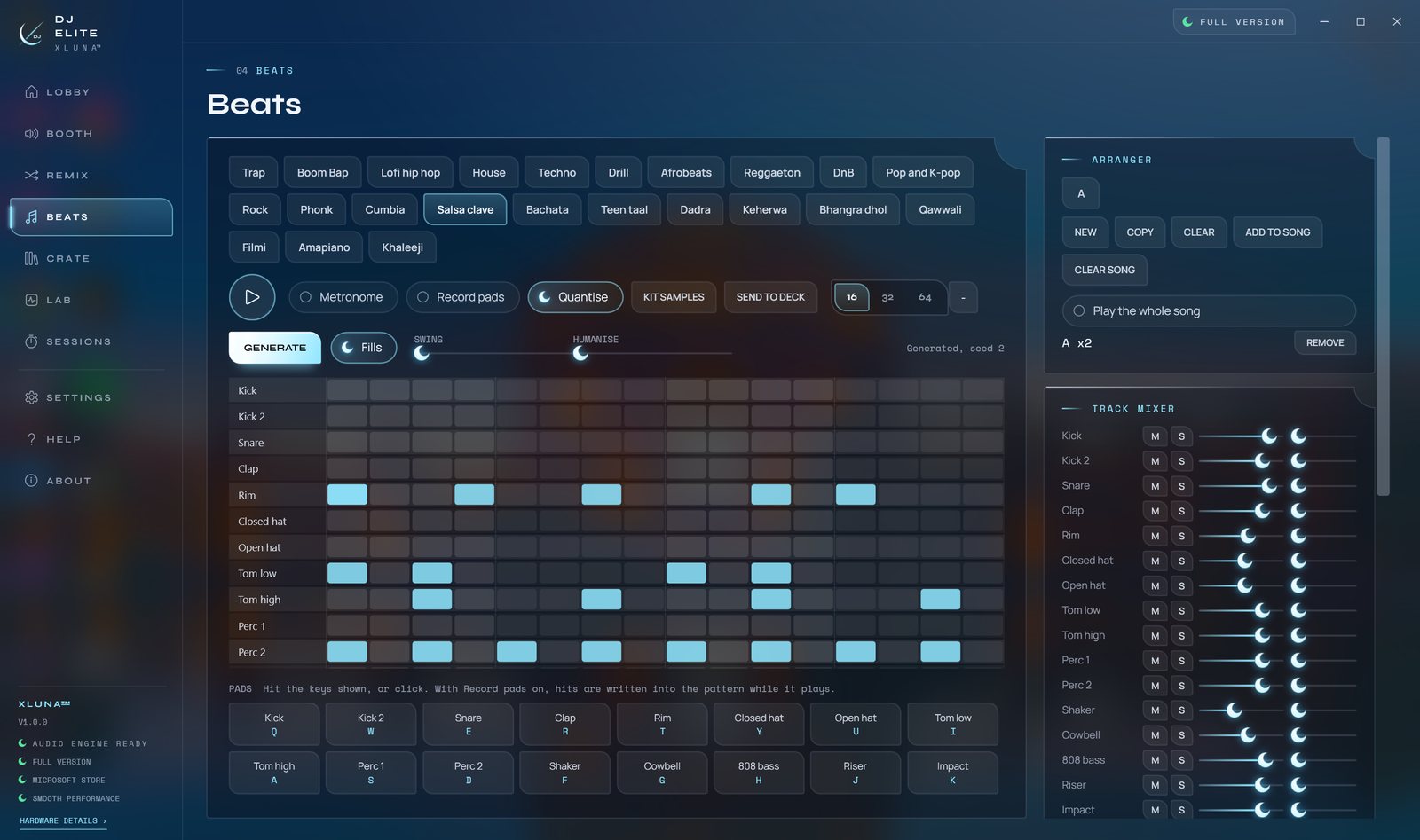
Beat Remix listens to the drums, sections and key, then layers new drums under the song, swaps them, or plays the whole record in one of 23 feels, from reggaeton and amapiano to teen taal. Beat Studio gives you a 16, 32 or 64 step grid, live pads and a Generate button, and drops your beat into any track locked to its tempo.
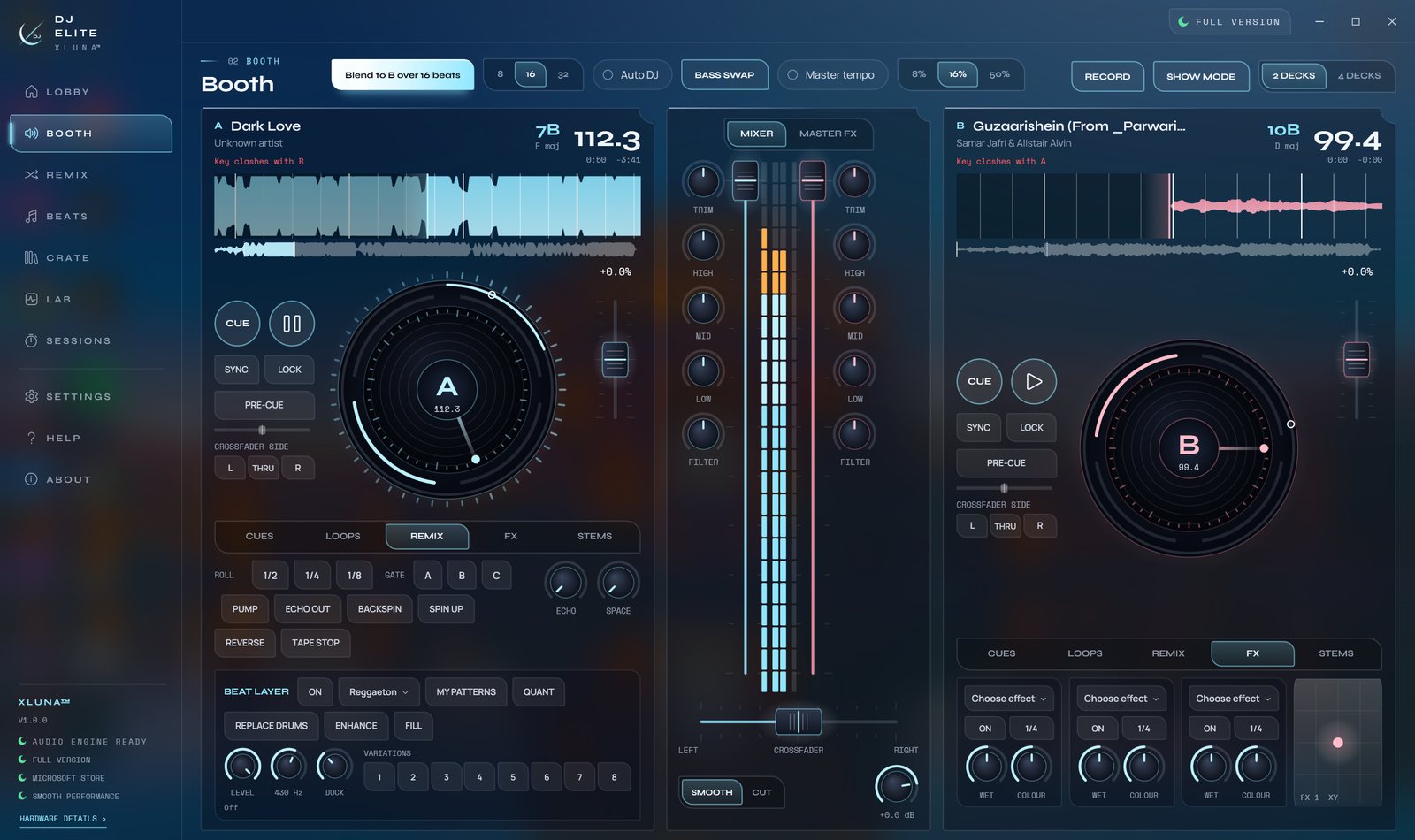
When it is time to play, four decks bring sync with phase lock, scratch, hot cues, loops, key shift and stem faders for vocals, drums, bass and music. Mashup Maker and Mix Maker match tempo and key for you, and every set can be recorded in 24-bit audio with a loudness report.
What you get
- One-click lofi and fourteen more style mixes, each with an intensity control
- Beat Remix swaps or layers the drums of any song in 23 genre feels
- Beat Studio with a 64 step grid, live pads and beats placed inside songs
- Four decks with sync, scratch, hot cues, loops, slicer and key shift
- Stem faders, plus Karaoke, Acapella and Instrumental in one press
- Mashup Maker, Mix Maker and set recording with a loudness report
What makes XLUNA DJ Elite premium
It listens before it remixes
Style mixes and Beat Remix measure the song's tempo, tone and drum hits first, so every result sits in the song's own groove.
Five tools in one window
A style mixer, a beat studio, a four-deck mixer, a stem lab and a set recorder share one library and one sound engine.
Hear it before you keep it
Switch between the original and the styled version at any moment, and reset to the original with one press.
Built for live play
Sync with phase lock, hot cues, loops, a slicer, thirteen effects with XY pads and MIDI controller input.
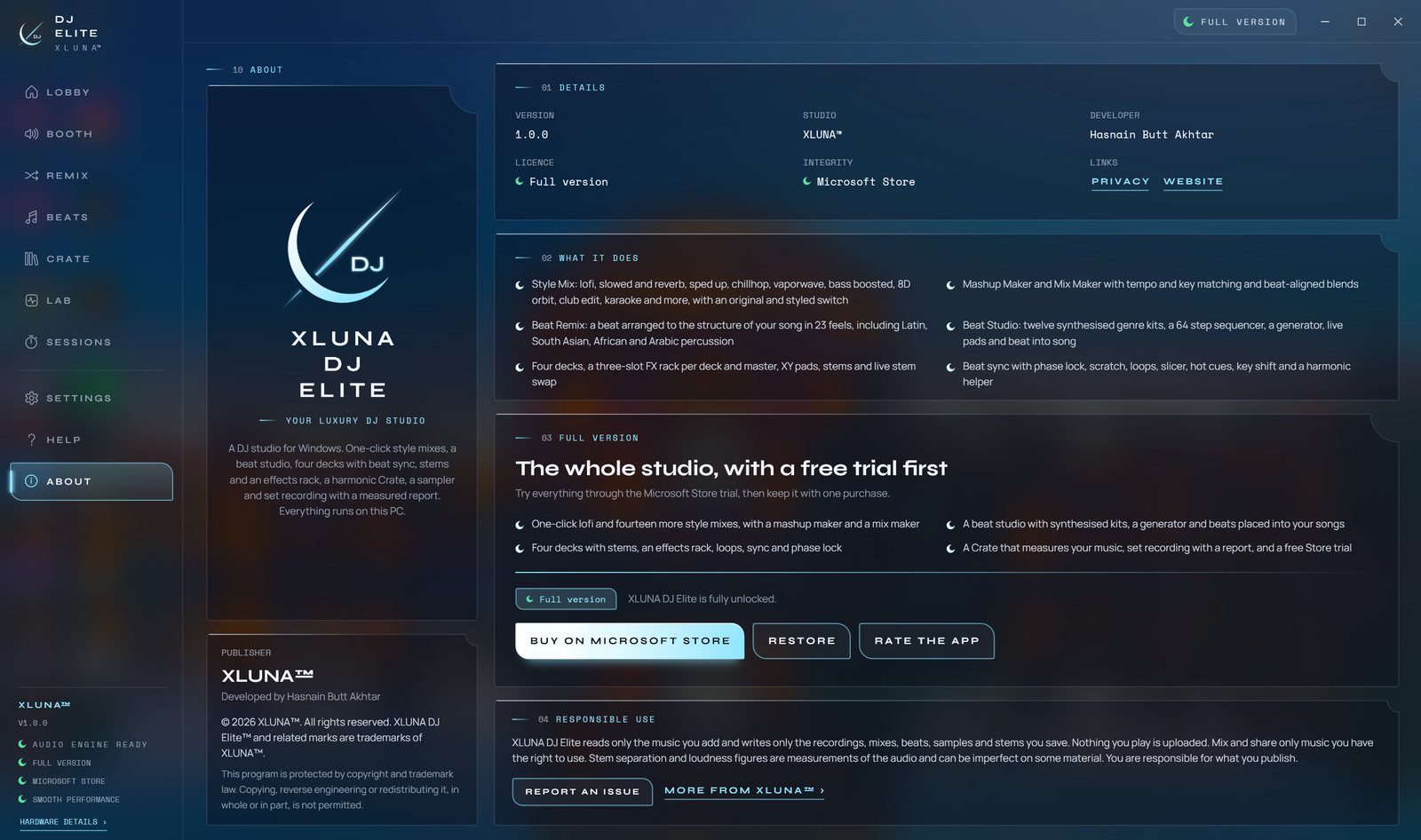
See it on a real desktop
Before you install
- Platforms
- Windows 10 (version 2004 or later) and Windows 11, x64
- Pricing
- Single purchase, lifetime licence · the Store shows your local price
- Trial
- 24 hours with every feature
- Updates
- Included
- Account
- Not required
- Processor
- 4 cores minimum, 6 or more recommended
- Memory
- 8 GB minimum, 16 GB recommended
- Storage
- 3 GB free, more for recordings and stored stems
- Graphics card
- Not required
- Controller
- Optional, MIDI controllers are supported
- Get it from
- Microsoft Store, coming soon
- Developer
- XLUNA™
Your data stays on your PC
Read the full XLUNA DJ Elite privacy policy, or the studio's privacy-first promise.
XLUNA DJ Elite against the usual way
| Compared | XLUNA DJ Elite | A typical subscription app |
|---|---|---|
| How you pay | Once, and it is yours | A monthly or yearly fee |
| Account | None | Usually required |
| Your data | Stays on your PC | Often sent to company servers |
| Adverts and tracking | None | Common |
| Works offline | Yes, completely | Often not |
| Try before you buy | 24 hours, every feature | Often a limited free tier |
Questions before you buy
Does XLUNA DJ Elite upload my music?
No. Your tracks, stems, mixes and recordings stay on your PC. Tempo, key and stems are worked out on your own processor, and nothing is sent anywhere.
Do I need a DJ controller or a graphics card?
No. It runs on a Windows PC with a 4-core processor and 8 GB of memory, with a mouse and keyboard. A MIDI controller is supported if you have one.
Can I remix any song?
You can load any audio file on your PC. Mix, share and publish only music you have the right to use.
Does it work offline?
Yes. Everything works without a connection. The Microsoft Store licence check is handled by Windows.
Do I need an account?
No. There is nothing to sign up for or sign in to. You install it from the Microsoft Store and it works.
What happens when the 24-hour trial ends?
The app asks you to buy it on the Microsoft Store to keep using it. Nothing is charged automatically, and your settings stay on your PC.
Be first when XLUNA DJ Elite lands
Send a note and the studio will tell you the day it arrives on the Microsoft Store, with a 24 hour free trial ready to go.