


XLUNA Privacy Guard Pro
Your Windows privacy, in one place. See which Windows privacy settings are on, switch off what you do not need, and know when Windows switches something back. No account, no cloud, and every change is recorded on your PC.
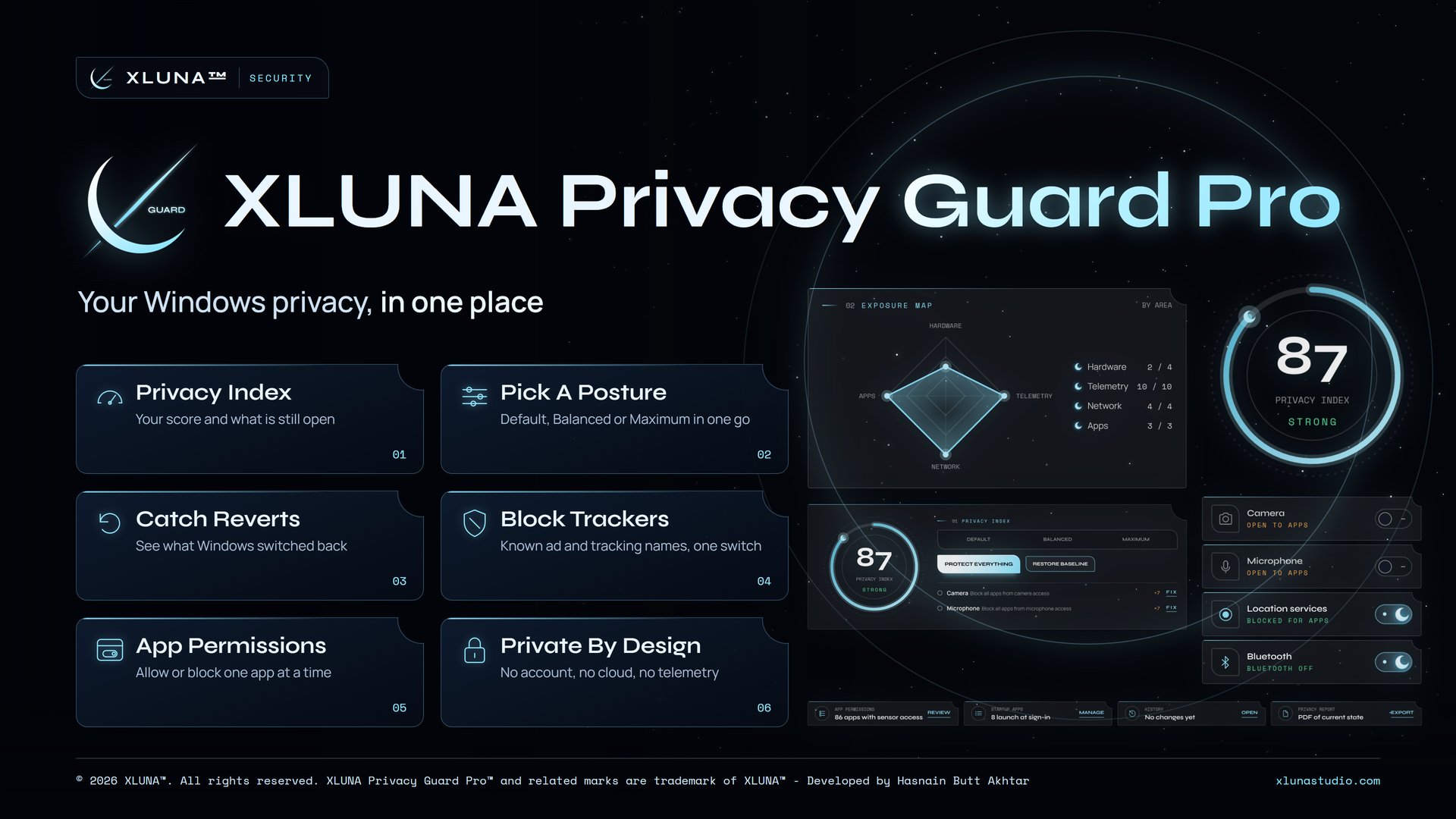
What XLUNA Privacy Guard Pro does for you
Find out exactly which Windows privacy settings are on, and switch off what you do not need without digging through Settings. Choose a posture in XLUNA Privacy Guard Pro, then see your privacy index, the protections still open and anything Windows switched back.
Balanced covers Windows telemetry, ad personalisation and suggestions while leaving your camera, microphone, location and Bluetooth working. Maximum switches on every protection your Windows supports. Decide which apps may use your camera, microphone or location one app at a time, and tidy what starts when you sign in.
Block known ad and tracking names through the hosts file, and turn on encrypted DNS through Cloudflare if you want it. Restore Baseline returns your settings to how they were at first run, and a PDF report records where you stand.
What you get
- A privacy index from 0 to 100 and an exposure map of what is still open
- Default, Balanced or Maximum postures, or 21 protections one at a time
- A revert check that shows what Windows switched back
- Ad and tracker blocking through the hosts file, undone with one switch
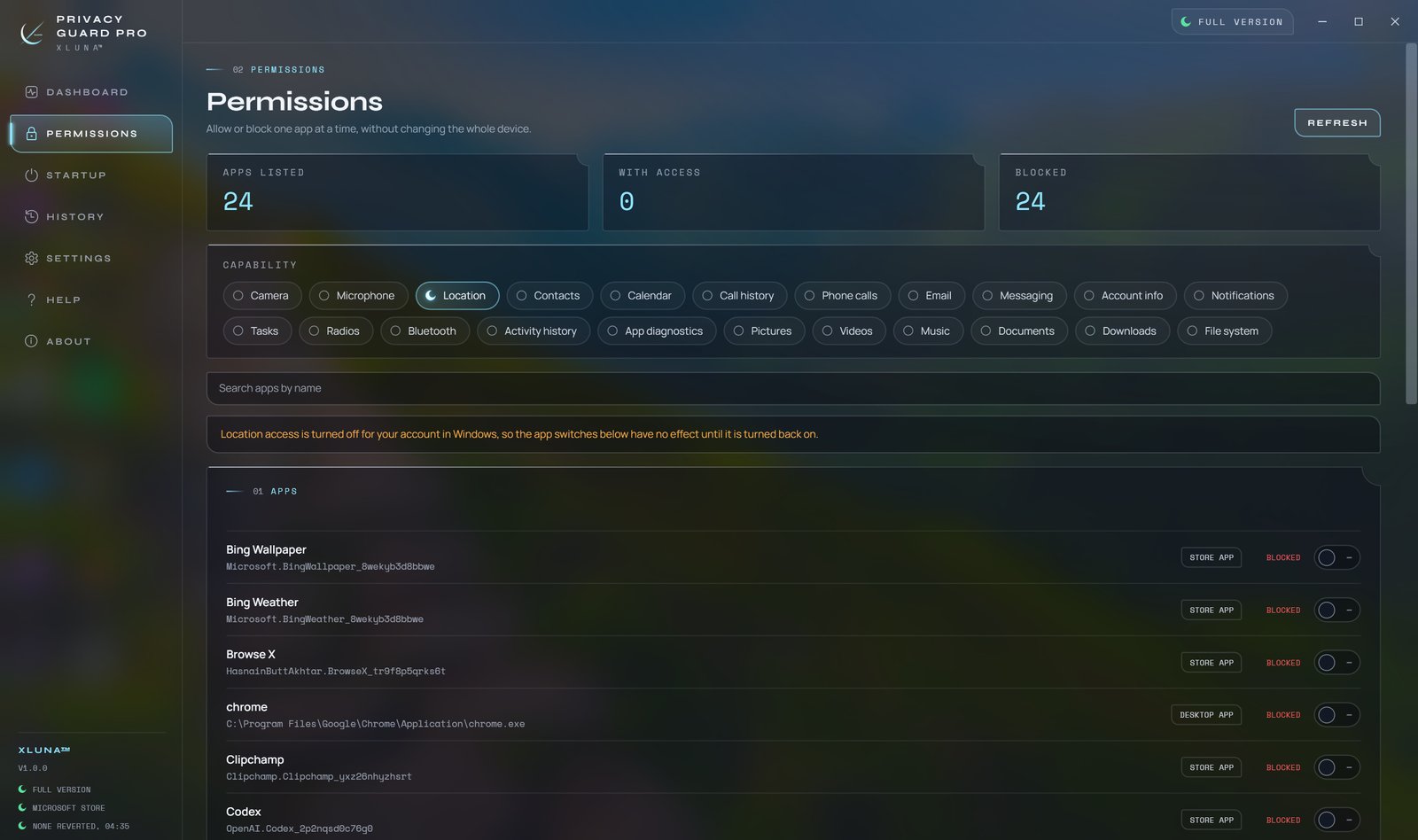
- App permissions for camera, microphone, location and more, one app at a time
- Baseline restore, a history of every change and a PDF report
What makes XLUNA Privacy Guard Pro premium
A score you can act on
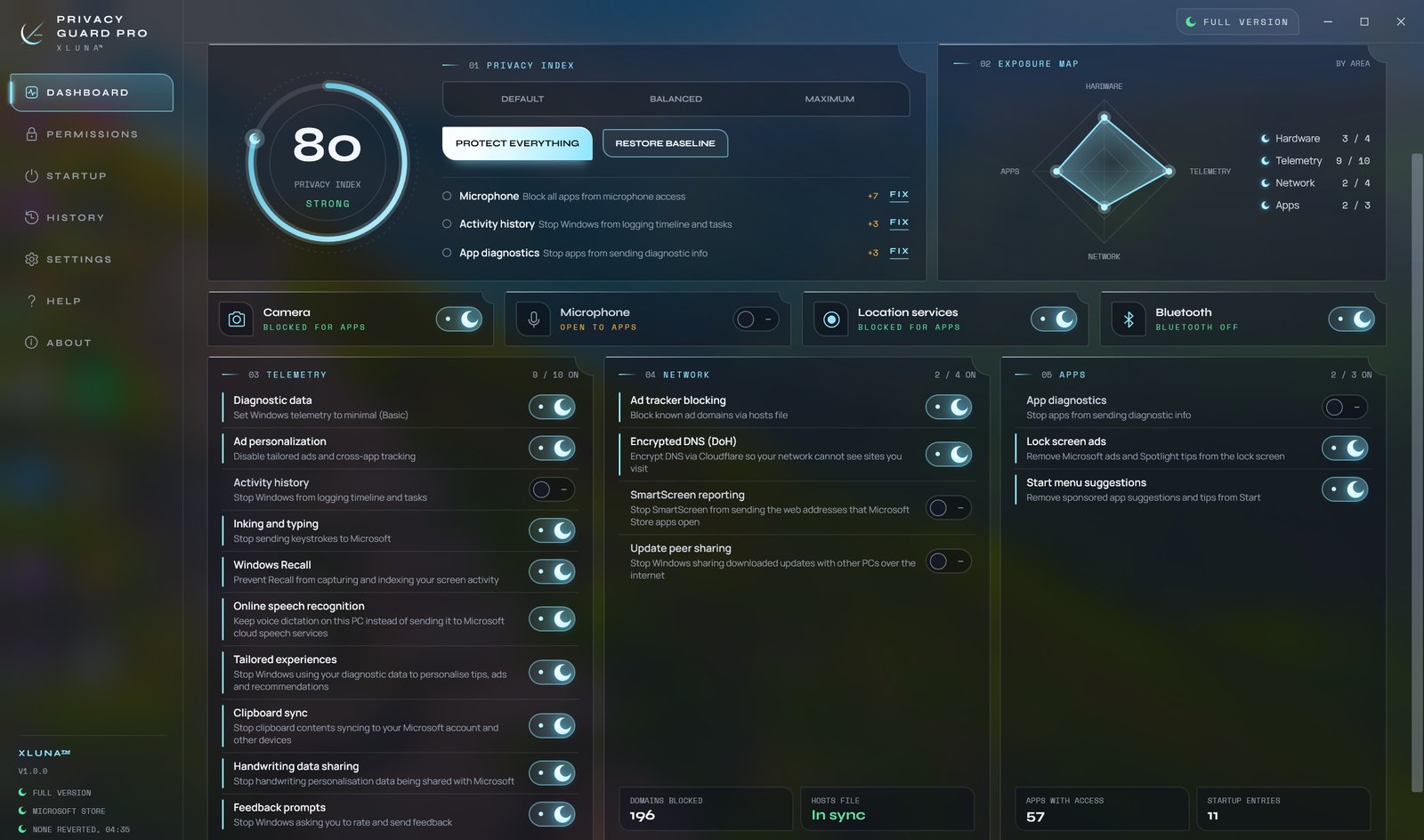
The privacy index counts the protections it can check on your PC, and the open list shows what would add the most.
One choice, many settings
Default, Balanced or Maximum switches many protections together, or flip any of the 21 one at a time.
Catches what Windows undoes
The revert check shows what an update switched back, and can set it again if you ask it to.
Every change on record
A history of each change, a baseline to go back to, and a PDF report of where you stand.
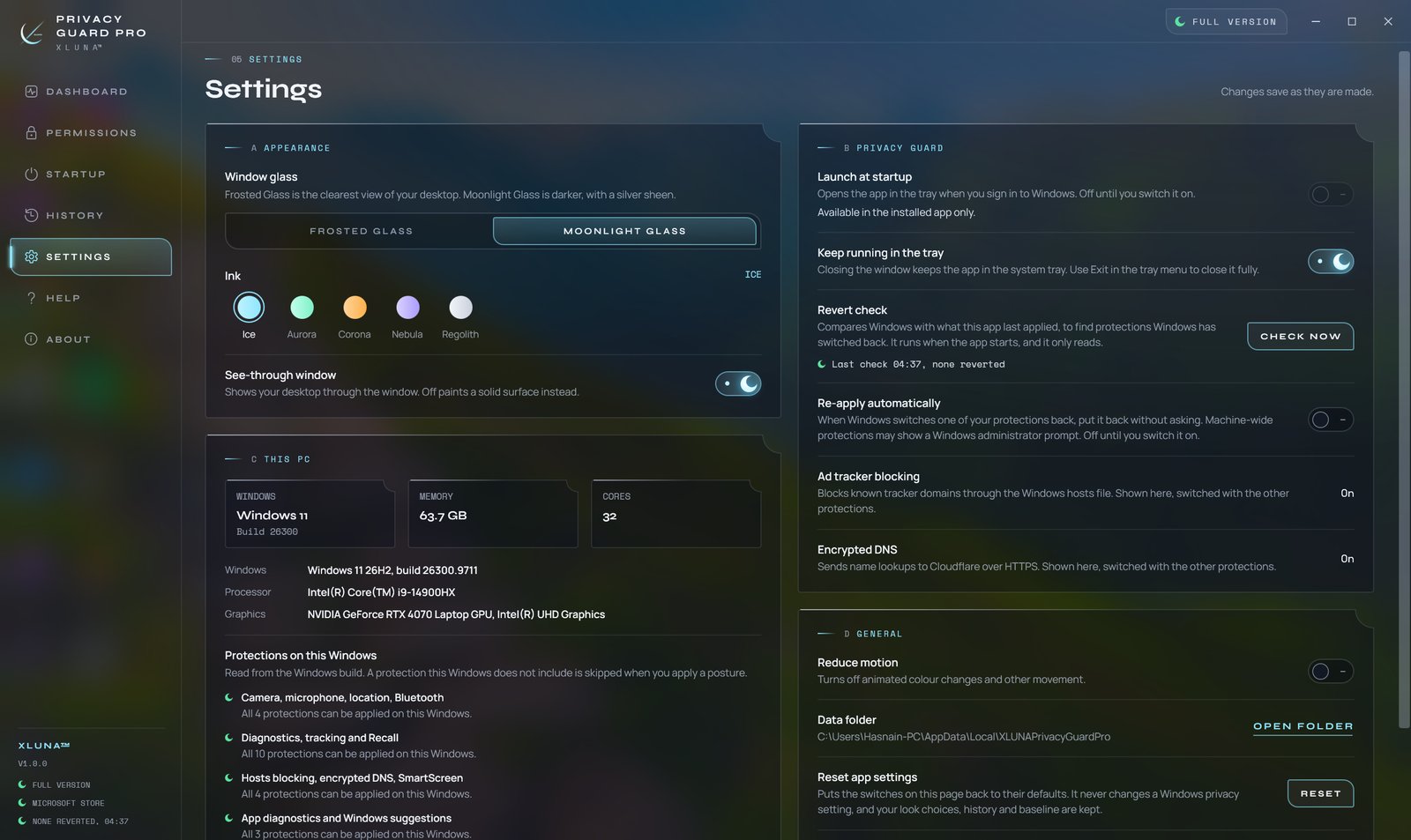
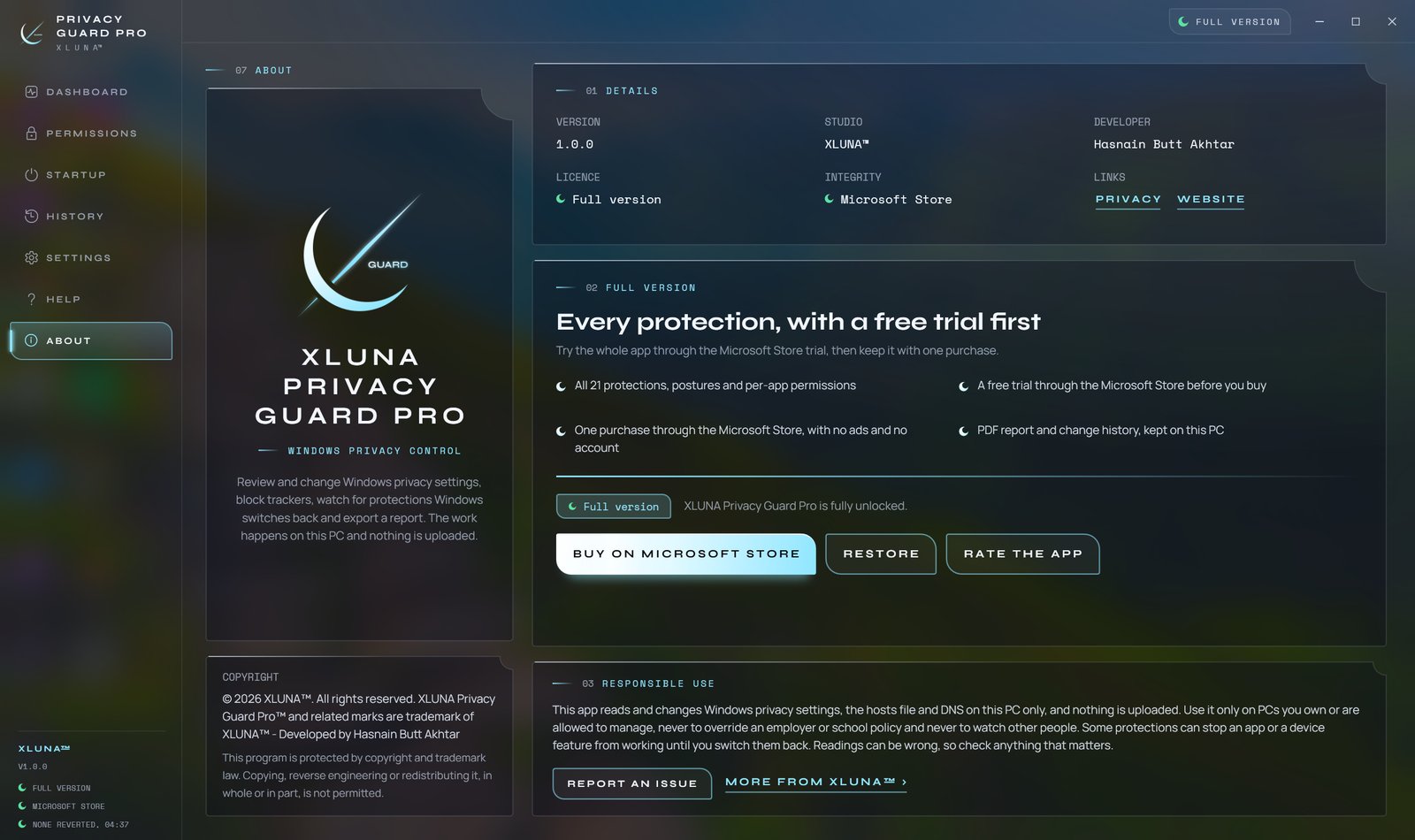
See it on a real desktop
Before you install
- Platforms
- Windows 10 (version 2004 or later) and Windows 11, x64
- Pricing
- Single purchase, lifetime licence · the Store shows your local price
- Trial
- 24 hours with every feature
- Updates
- Included
- Account
- Not required
- Memory
- 4 GB minimum, 8 GB recommended
- Storage
- 300 MB free, 500 MB recommended
- Administrator
- Asked only for machine-wide protections, with the Windows prompt
- Internet
- Not needed, except for the optional Encrypted DNS
- Get it from
- Microsoft Store
- Developer
- XLUNA™
Your data stays on your PC
Read the full XLUNA Privacy Guard Pro privacy policy, or the studio's privacy-first promise.
XLUNA Privacy Guard Pro against the usual way
| Compared | XLUNA Privacy Guard Pro | A typical subscription app |
|---|---|---|
| How you pay | Once, and it is yours | A monthly or yearly fee |
| Account | None | Usually required |
| Your data | Stays on your PC | Often sent to company servers |
| Adverts and tracking | None | Common |
| Works offline | Yes, except the optional Encrypted DNS | Often not |
| Try before you buy | 24 hours, every feature | Often a limited free tier |
Questions before you buy
Does XLUNA Privacy Guard Pro send my settings anywhere?
No. Your privacy settings, app list and startup entries are read on your PC to show them to you, and are never sent anywhere.
Is my data stored on a server?
No. XLUNA collects no data and keeps nothing about you on any server. Your history, baseline and settings stay in the app's folder on your PC.
Does it work offline?
Yes. Only the optional Encrypted DNS setting involves an outside service, and the Microsoft Store licence check is handled by Windows.
Do I need an account?
No. There is nothing to sign up for or sign in to. You install it from the Microsoft Store and it works.
Can I undo what it changed?
Yes. Turn any protection off again, or use Restore Baseline to return your settings to how they were at first run. Uninstalling does not undo changes, so restore first if you want them reverted.
What happens when the 24-hour trial ends?
The app asks you to buy it on the Microsoft Store to keep using it. Nothing is charged automatically, and your settings stay on your PC.
Try XLUNA Privacy Guard Pro free for 24 hours
Every feature switched on, on your own PC. If it earns its place, one payment keeps it for good, with updates included.