


XLUNA AI Assistant Pro
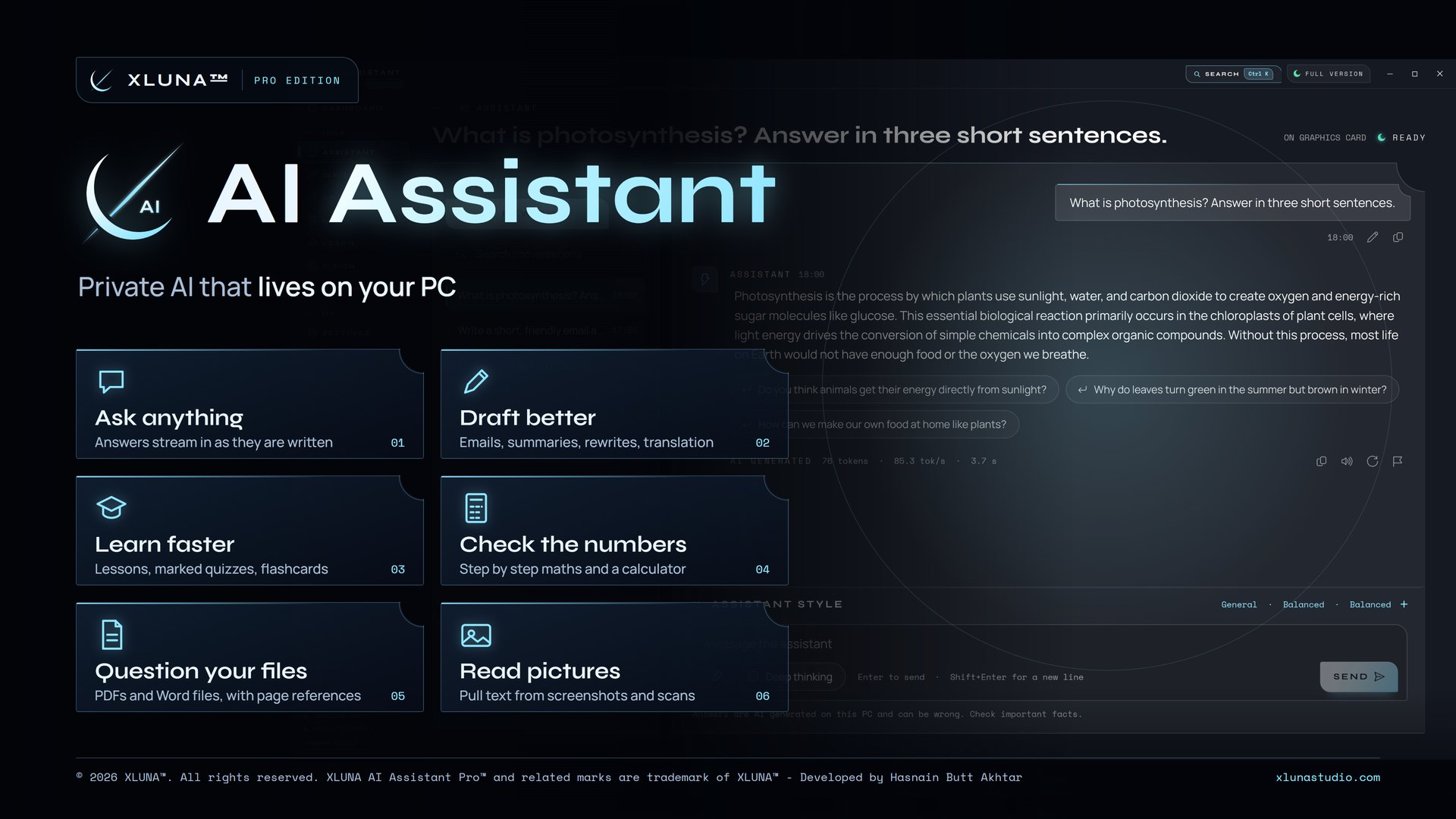
Private AI that lives on your PC. Chat, write, code, study and question your files with an AI assistant that runs on your own PC, with no account, no cloud and nothing sent anywhere.
What XLUNA AI Assistant Pro does for you
XLUNA AI Assistant Pro is an AI assistant that works with no internet at all. Get help with writing, study and code without handing your words or files to anyone else's servers.
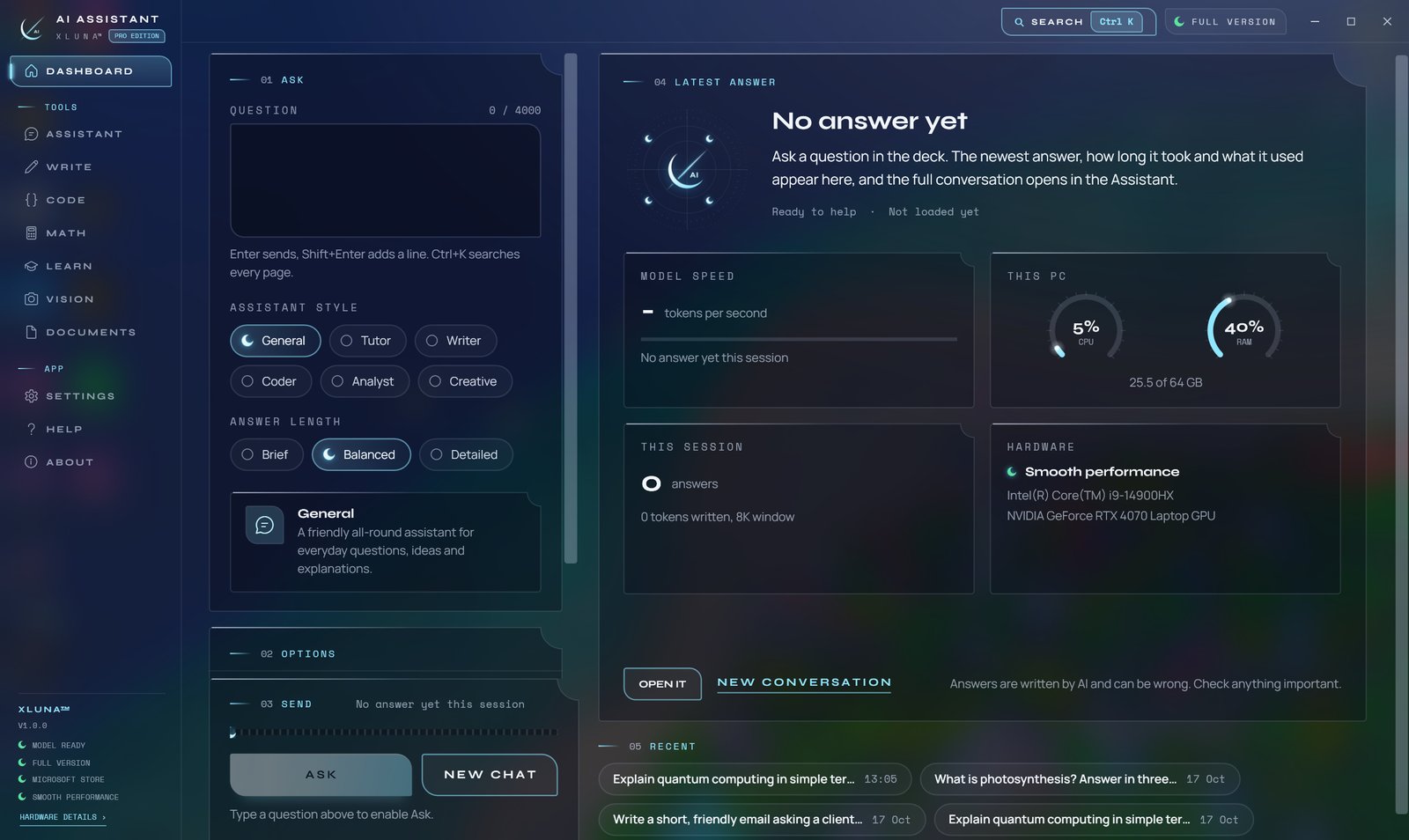
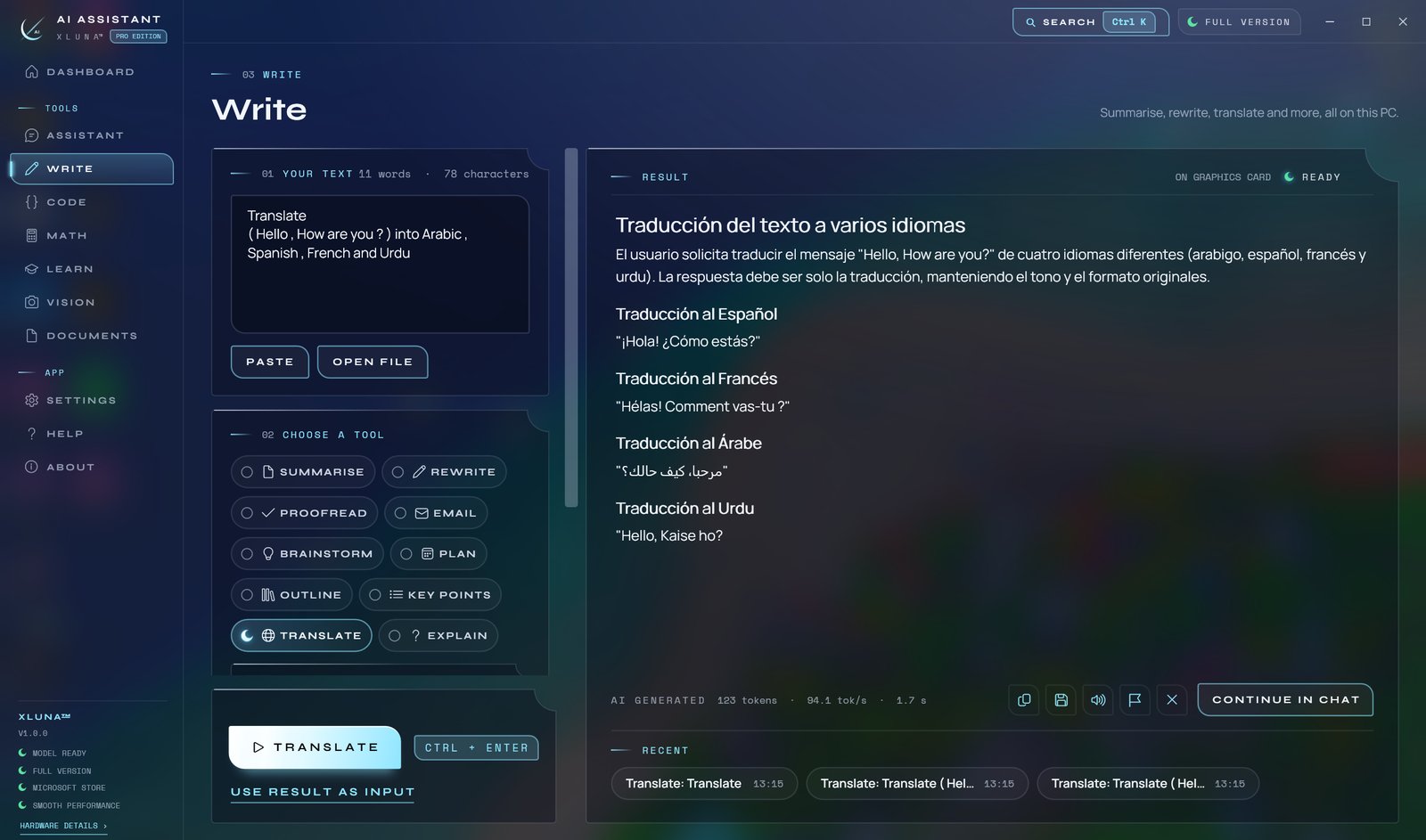
Ask anything and watch the answer appear as it is written, in a style that suits the task: Tutor, Writer, Coder or Analyst, short or detailed. Draft emails and reports, summarise, proofread and translate, then copy the result or save it as a file.
Learn with lessons, marked quizzes, flashcards and revision plans, work through maths step by step, ask questions of your PDFs and Word files with page references, and pull text out of screenshots and scans. The model ships inside the app, so there is nothing to download or set up.
What you get
- Answers stream in as they are written, with six assistant styles
- Emails, summaries, rewrites, proofreading and translation
- Lessons, marked quizzes, flashcards and revision plans
- Step by step maths with a built-in calculator
- Questions answered from your PDFs and Word files, with page references
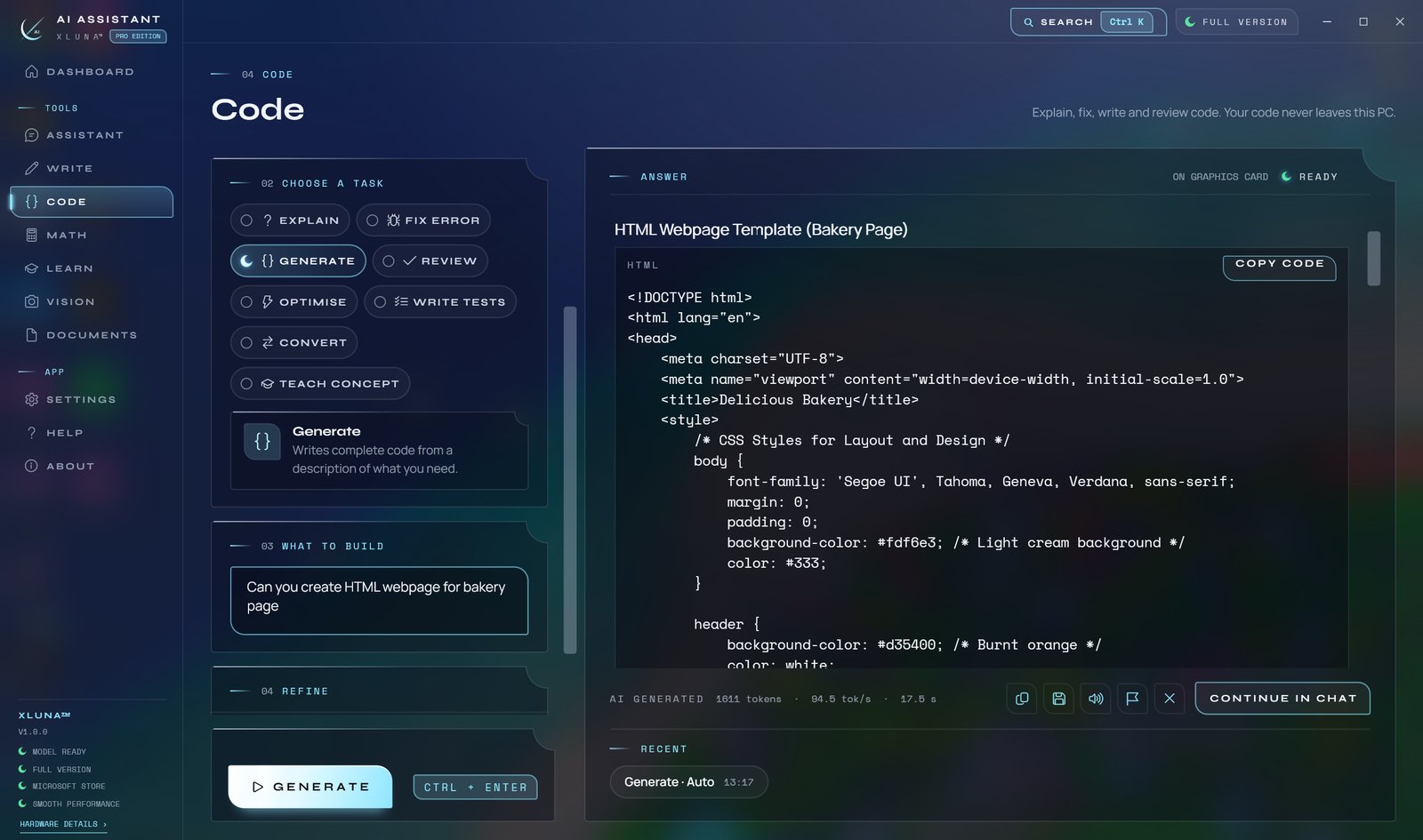
- Code explained, fixed, generated, reviewed and converted
What makes XLUNA AI Assistant Pro premium
The model is inside
The AI model ships with the app and runs on your PC. Nothing to download, nothing to set up, no internet needed.
Seven tools in one app
Assistant, Write, Code, Math, Learn, Vision and Documents, each built for its job rather than one chat box for everything.
Honest about your PC
It reads your processor, memory and graphics card, tells you plainly how fast it will run, and uses your graphics card when you have one.
Answers you can check
Document answers point to the pages they came from, and every answer is labelled as AI generated.
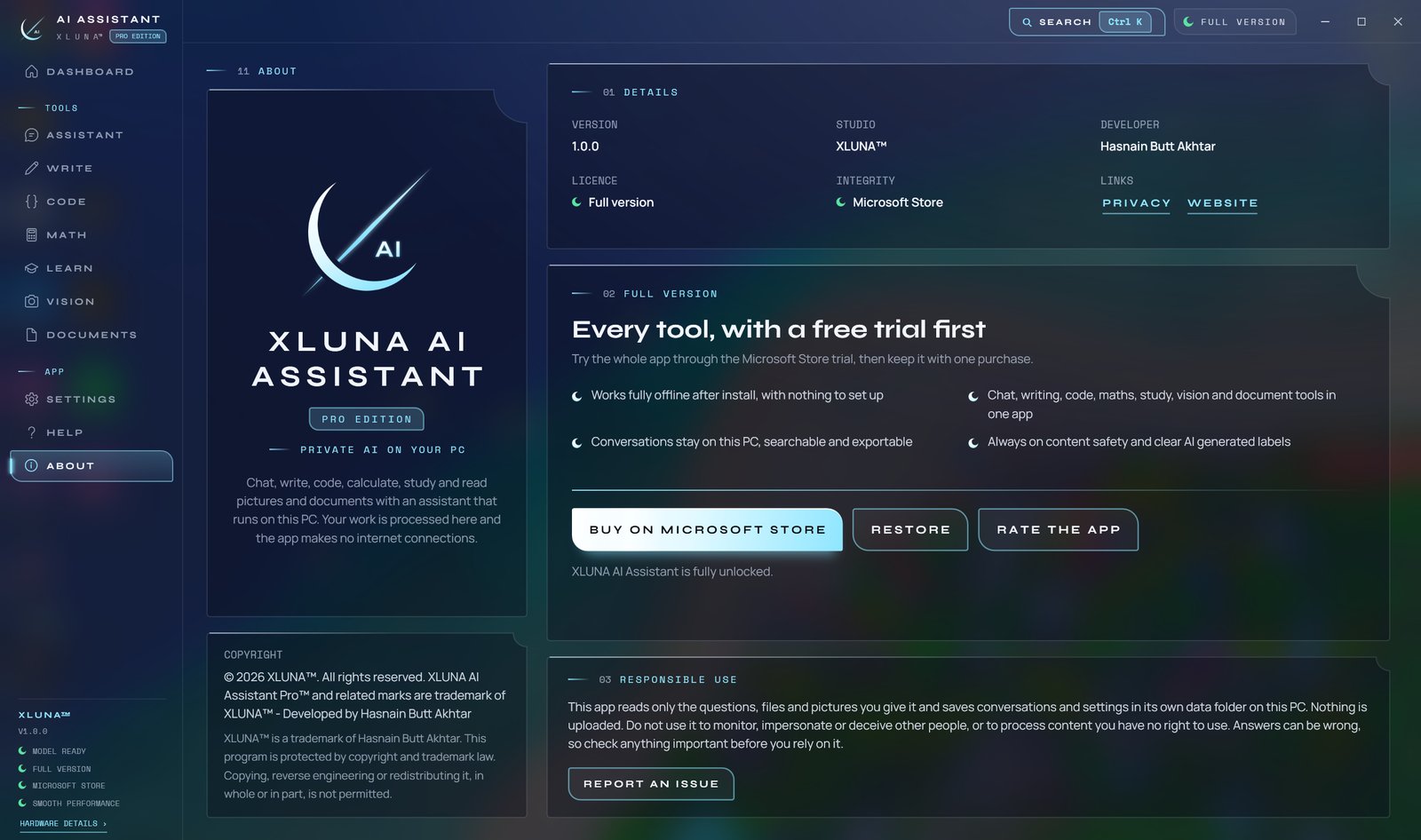
See it on a real desktop
Before you install
- Platforms
- Windows 10 (version 2004 or later) and Windows 11, x64
- Pricing
- Single purchase, lifetime licence · the Store shows your local price
- Trial
- 24 hours with every feature
- Updates
- Included
- Account
- Not required
- Memory
- 4 GB minimum, 16 GB recommended
- Storage
- 8 GB free (about 2.9 GB installed)
- Graphics
- Not required; a card with Vulkan support makes answers faster
- Internet
- Not needed to run the app
- Get it from
- Microsoft Store, coming soon
- Developer
- XLUNA™
Your data stays on your PC
Read the full XLUNA AI Assistant Pro privacy policy, or the studio's privacy-first promise.
XLUNA AI Assistant Pro against the usual way
| Compared | XLUNA AI Assistant Pro | A typical subscription app |
|---|---|---|
| How you pay | Once, and it is yours | A monthly or yearly fee |
| Account | None | Usually required |
| Your data | Stays on your PC | Often sent to company servers |
| Adverts and tracking | None | Common |
| Works offline | Yes, fully | Often not |
| Try before you buy | 24 hours, every feature | Often a limited free tier |
Questions before you buy
Does XLUNA AI Assistant Pro send my questions to a server?
No. The AI model runs on your PC inside the app. Your questions, answers, files and pictures are processed on your PC and never uploaded.
Is my data stored on a server?
No. XLUNA collects no data and keeps nothing about you on any server. Your conversations and settings stay in the app's folder on your PC.
Does it work offline?
Yes, fully. The model ships with the app, so it works with no internet at all. The Microsoft Store licence check is handled by Windows.
Do I need an account?
No. There is nothing to sign up for or sign in to. You install it from the Microsoft Store and it works.
Can I delete my conversations?
Yes. Delete any conversation, or all of them, from the app, or turn history off in Settings. Uninstalling removes the app's folder.
What happens when the 24-hour trial ends?
The app asks you to buy it on the Microsoft Store to keep using it. Nothing is charged automatically, and your settings stay on your PC.
Be first when XLUNA AI Assistant Pro lands
Send a note and the studio will tell you the day it arrives on the Microsoft Store, with a 24 hour free trial ready to go.