


XLUNA Mobile Lab
The service bench for Android handsets. Read, back up, diagnose and service Android handsets from your PC, then hand over one report. No account, no cloud, and everything stays on your PC.
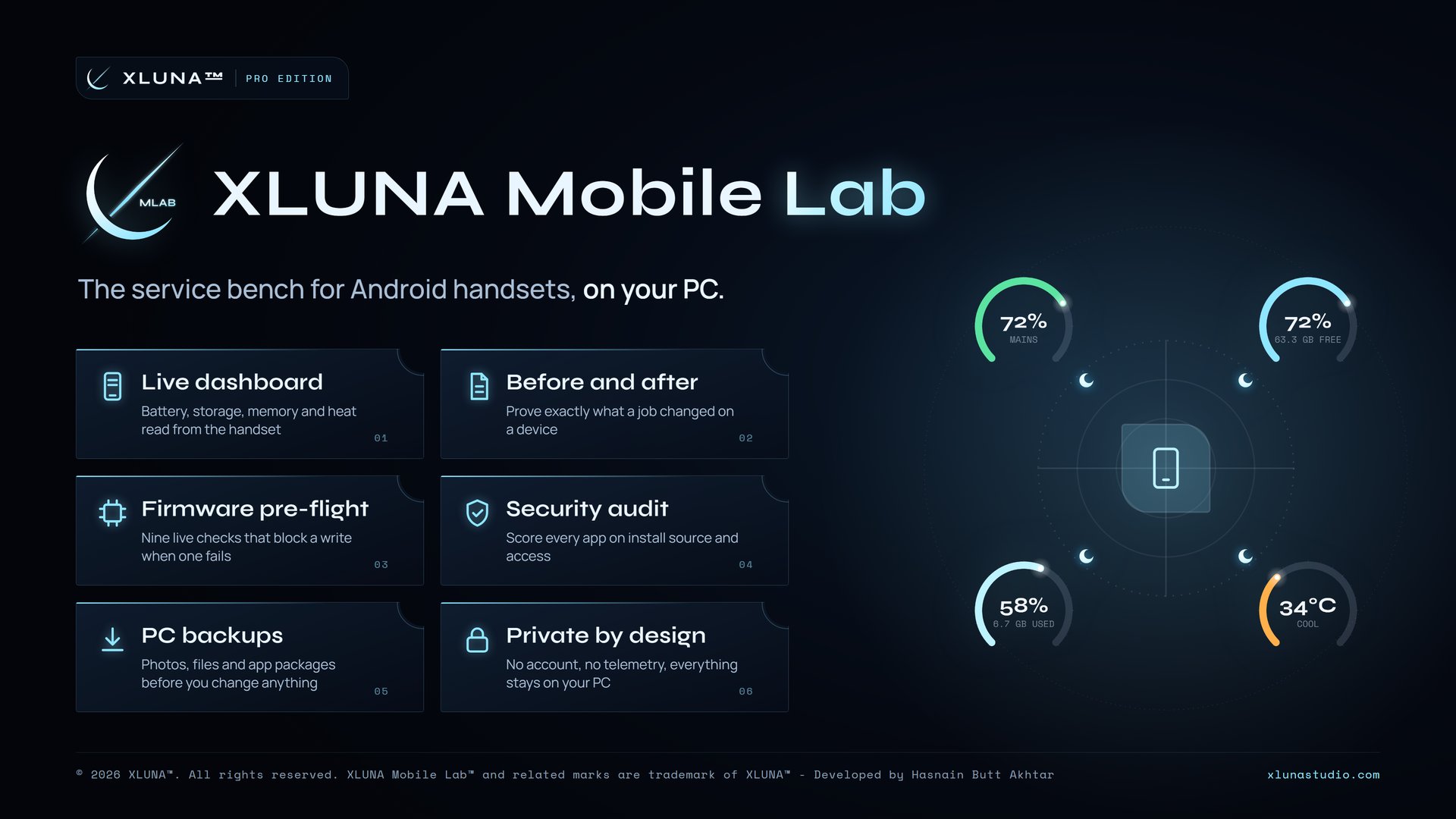
What XLUNA Mobile Lab does for you
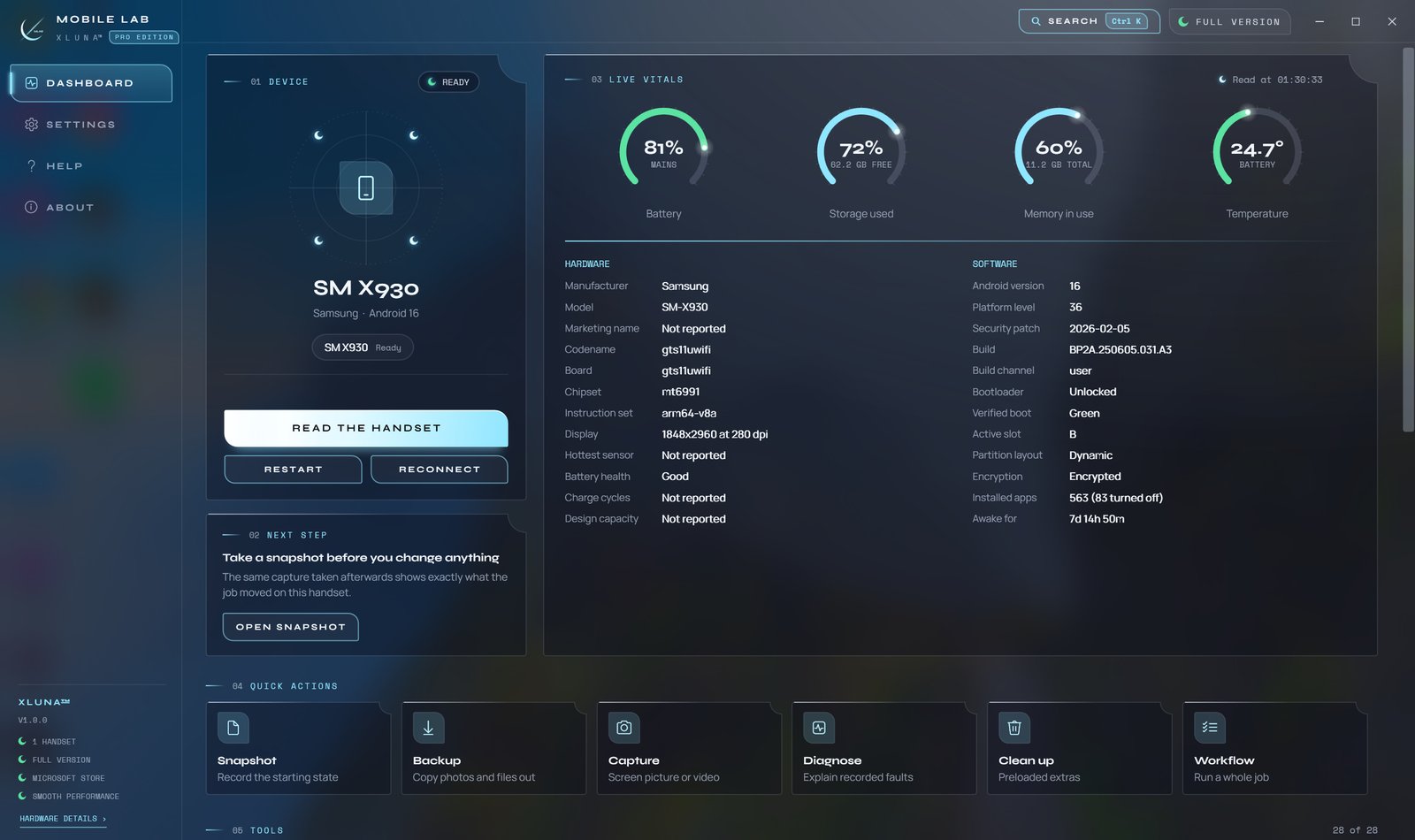
See what is really on a phone, and prove exactly what your job changed. Connect a handset to XLUNA Mobile Lab to see its battery, storage, memory and heat, then back it up, check it and service it from your PC.
Take a snapshot before the job and another after, then compare them to see which settings and apps moved. Back up photos, documents and app packages first, see how every app was installed and what it can reach, clear cached space and fix common faults, with every repair explained before it runs.
Working with firmware? The pre-flight reads both the handset and the file before anything is written, and an image inspector tells you what a firmware file really is. Everything you copy is written to a folder on your PC, one folder per device.
What you get
- Live dashboard of battery, storage, memory and heat read from the handset
- Snapshot and compare to prove exactly what a job changed
- Firmware pre-flight that checks the handset and the file and blocks a failed write
- Security audit scoring every app on install source and sensitive access
- Back up photos, files and app packages to your PC before you change anything
- Diagnostics that turn what the handset recorded into plain language faults
What makes XLUNA Mobile Lab premium
Readings, not guesses
Battery, storage, memory, heat and hardware are read straight from the handset. Where a handset keeps a reading private, the app says so.
Proof of every job
Snapshot a handset before and after, compare the two, and keep a service record for each device.
Checks before it writes
The firmware pre-flight reads both the handset and the file, and blocks the write when a check fails.
One report to hand over
Line up the steps a job needs and finish with a single report for the owner.
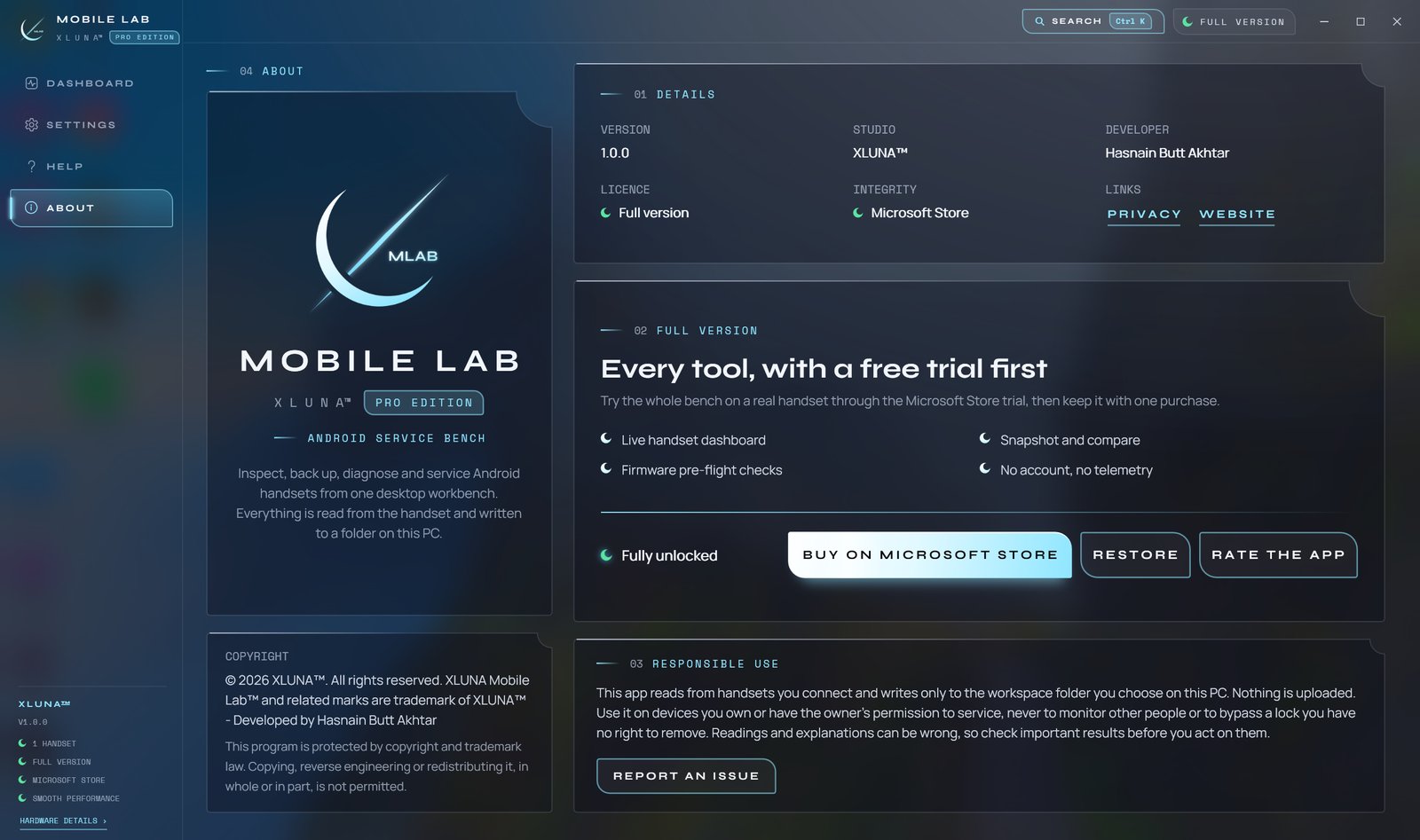
See it on a real desktop
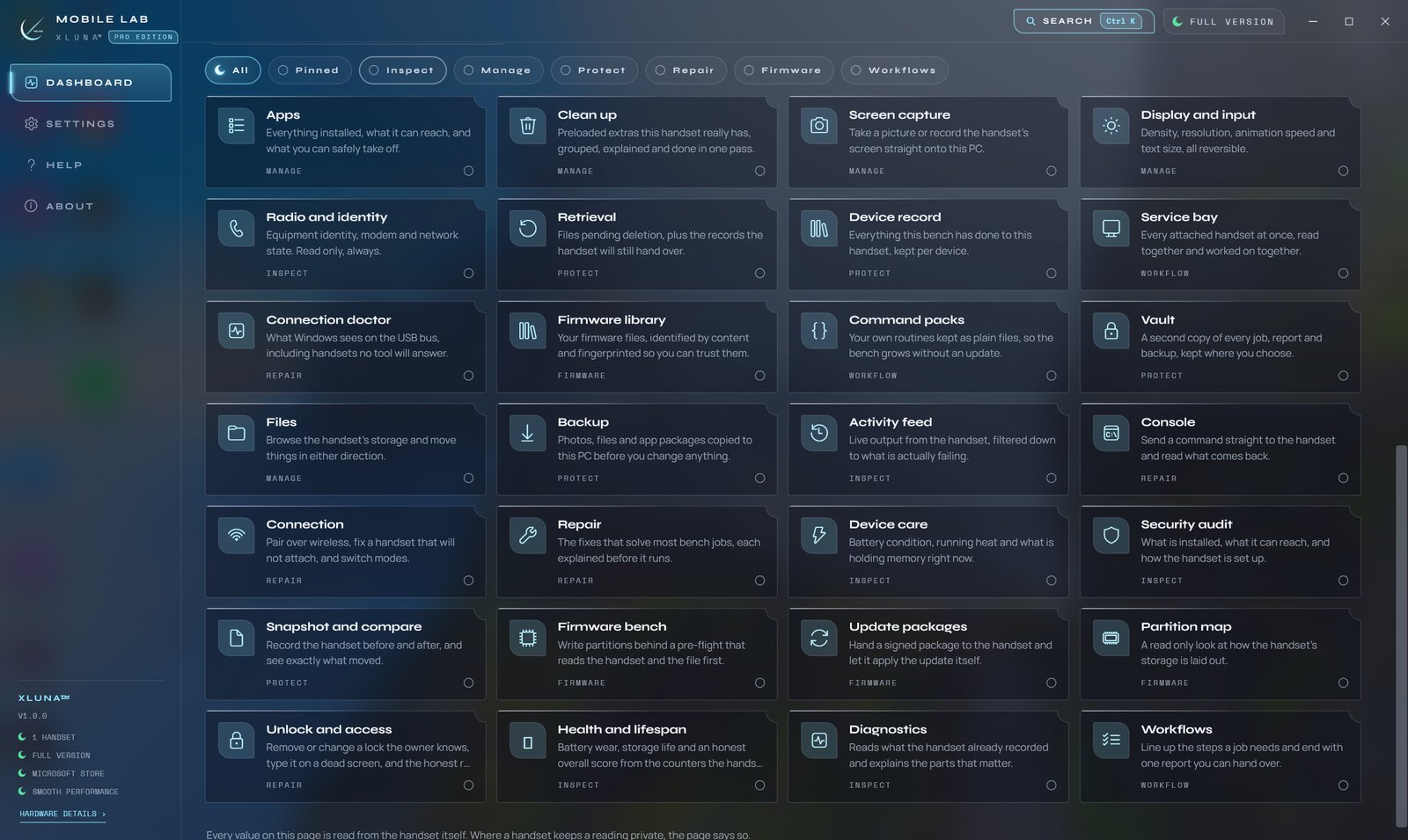
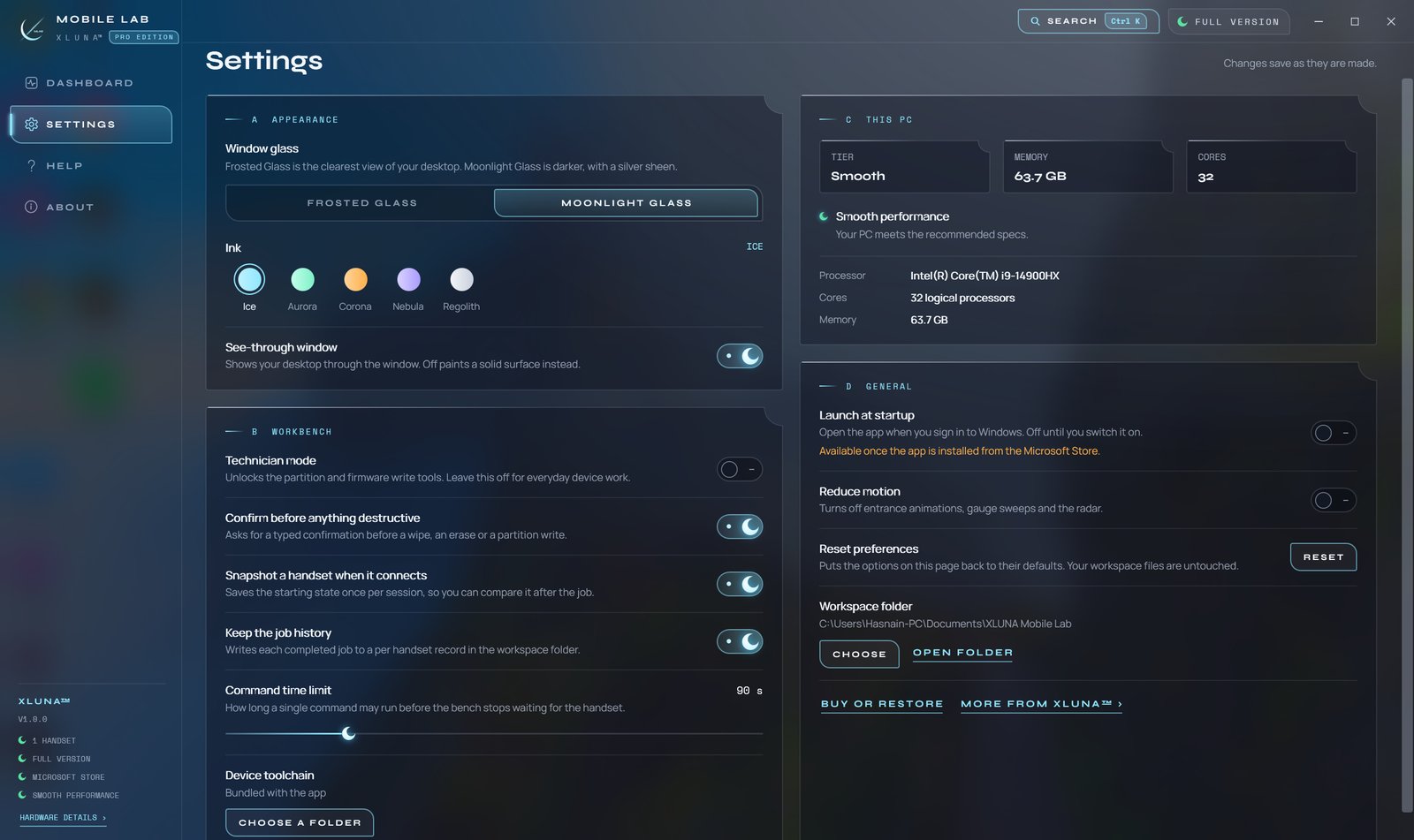
Before you install
- Platforms
- Windows 10 (version 2004 or later) and Windows 11, x64
- Pricing
- Single purchase, lifetime licence · the Store shows your local price
- Trial
- 24 hours with every feature
- Updates
- Included
- Account
- Not required
- Memory
- 8 GB minimum, 16 GB recommended
- Storage
- 1 GB free, plus room for your backups
- Connection
- A USB cable, with USB debugging on the handset
- Internet
- Not needed to run the app
- Get it from
- Microsoft Store
- Developer
- XLUNA™
Your data stays on your PC
Read the full XLUNA Mobile Lab privacy policy, or the studio's privacy-first promise.
XLUNA Mobile Lab against the usual way
| Compared | XLUNA Mobile Lab | A typical subscription app |
|---|---|---|
| How you pay | Once, and it is yours | A monthly or yearly fee |
| Account | None | Usually required |
| Your data | Stays on your PC | Often sent to company servers |
| Adverts and tracking | None | Common |
| Works offline | Yes, fully | Often not |
| Try before you buy | 24 hours, every feature | Often a limited free tier |
Questions before you buy
Does XLUNA Mobile Lab upload anything from the handset?
No. Photos, files, app packages, captures and reports are written only to the workspace folder you choose on your PC. Nothing is uploaded.
Is my data stored on a server?
No. XLUNA collects no data and keeps nothing about you on any server. Settings stay in the app's folder and your work stays in your workspace folder.
Does it work offline?
Yes, fully. It talks to handsets over USB, or over your own network if you choose wireless debugging. The Microsoft Store licence check is handled by Windows.
Do I need an account?
No. There is nothing to sign up for or sign in to. You install it from the Microsoft Store and it works.
Which handsets does it work with?
Android handsets with USB debugging turned on. Every action uses the debugging access you approve on the handset itself, and you can revoke it there at any time.
What happens when the 24-hour trial ends?
The app asks you to buy it on the Microsoft Store to keep using it. Nothing is charged automatically, and your settings stay on your PC.
Try XLUNA Mobile Lab free for 24 hours
Every feature switched on, on your own PC. If it earns its place, one payment keeps it for good, with updates included.