


XLUNA Docs Elite
Every document, one private workspace. A complete office suite for your PC: documents, spreadsheets and PDFs, plus translation and contract reading, with an AI assistant that runs on your own PC. No account and no cloud.
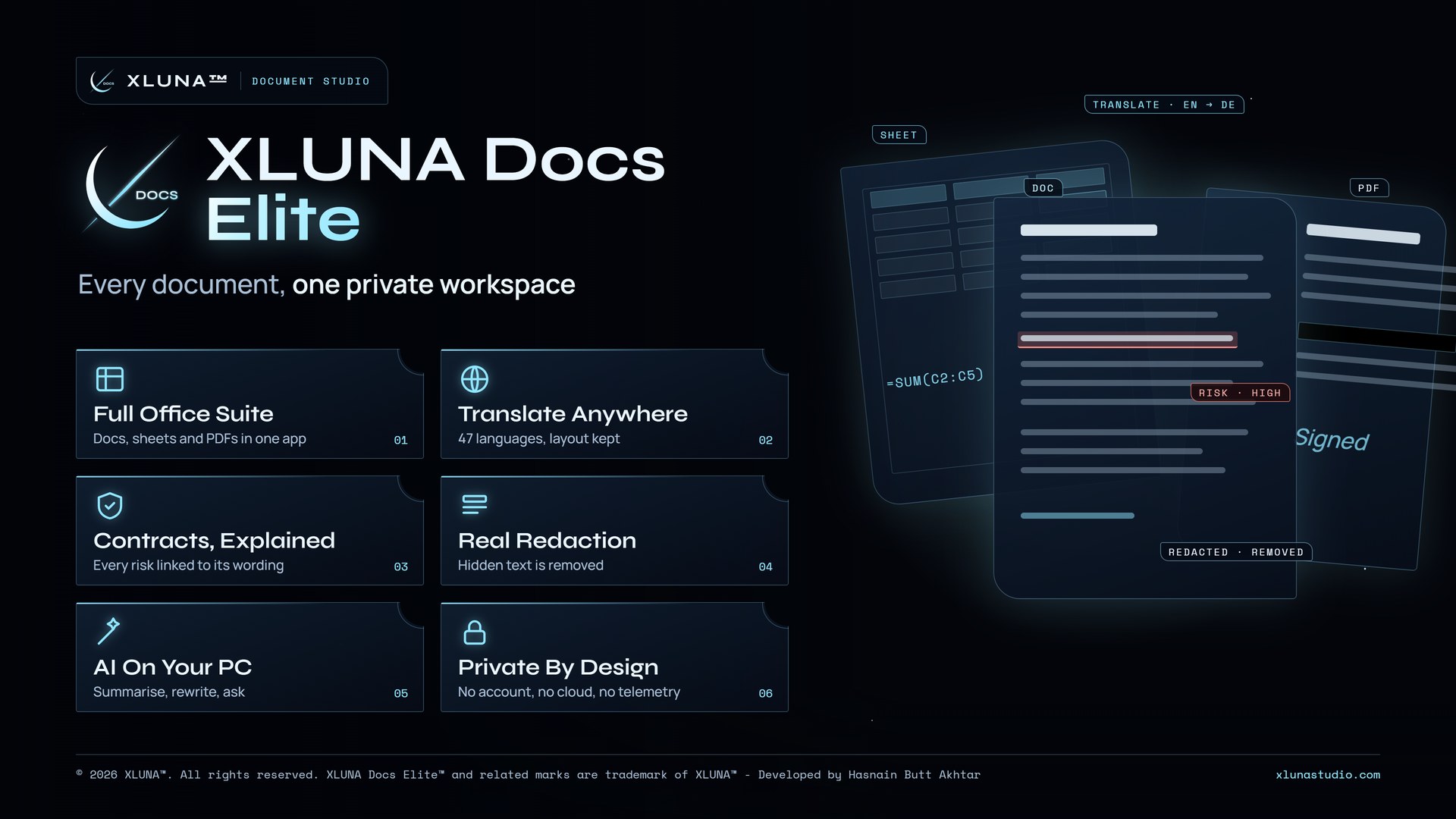
What XLUNA Docs Elite does for you
XLUNA Docs Elite brings a word processor, spreadsheets and a PDF editor into one private workspace, and adds the two things other office apps leave out: translation that keeps the page, and contract reading you can check.
Translate PDFs, Word files and scans into any of 47 languages with layout, tables and stamps in place, and numbers and dates checked against the original. Insight shows the risky clauses, who must do what and the key terms in any contract, each linked to its wording, and compares two versions to show whether each change helps or hurts you.
Edit PDFs properly, with pages, text, images, signatures and redaction that removes what is underneath. Write with styles and tables, keep every earlier save, and build spreadsheets with live formulas and pivot tables, or describe a calculation in plain words and get the formula.
What you get
- Word processor, spreadsheets and PDF editor in one workspace
- Translate PDFs and Word files into 47 languages with the layout kept
- Find the risks in a contract, each linked to its exact wording
- Redaction that removes the content under the box from the file
- Spreadsheets with live formulas, pivot tables and formulas from plain words
- An AI assistant on your PC that summarises, rewrites and answers questions
What makes XLUNA Docs Elite premium
A whole office in one window
A word processor, spreadsheets and a PDF editor share one workspace, with translation and contract reading beside them.
Translation that keeps the page
PDFs, Word files and scans come back in any of 47 languages with layout, tables and stamps in place.
Answers you can trace
Every risk and key term found in a contract links to the exact wording it came from.
Redaction that really removes
What sits under a black box is taken out of the PDF file, not just covered over.
See it on a real desktop
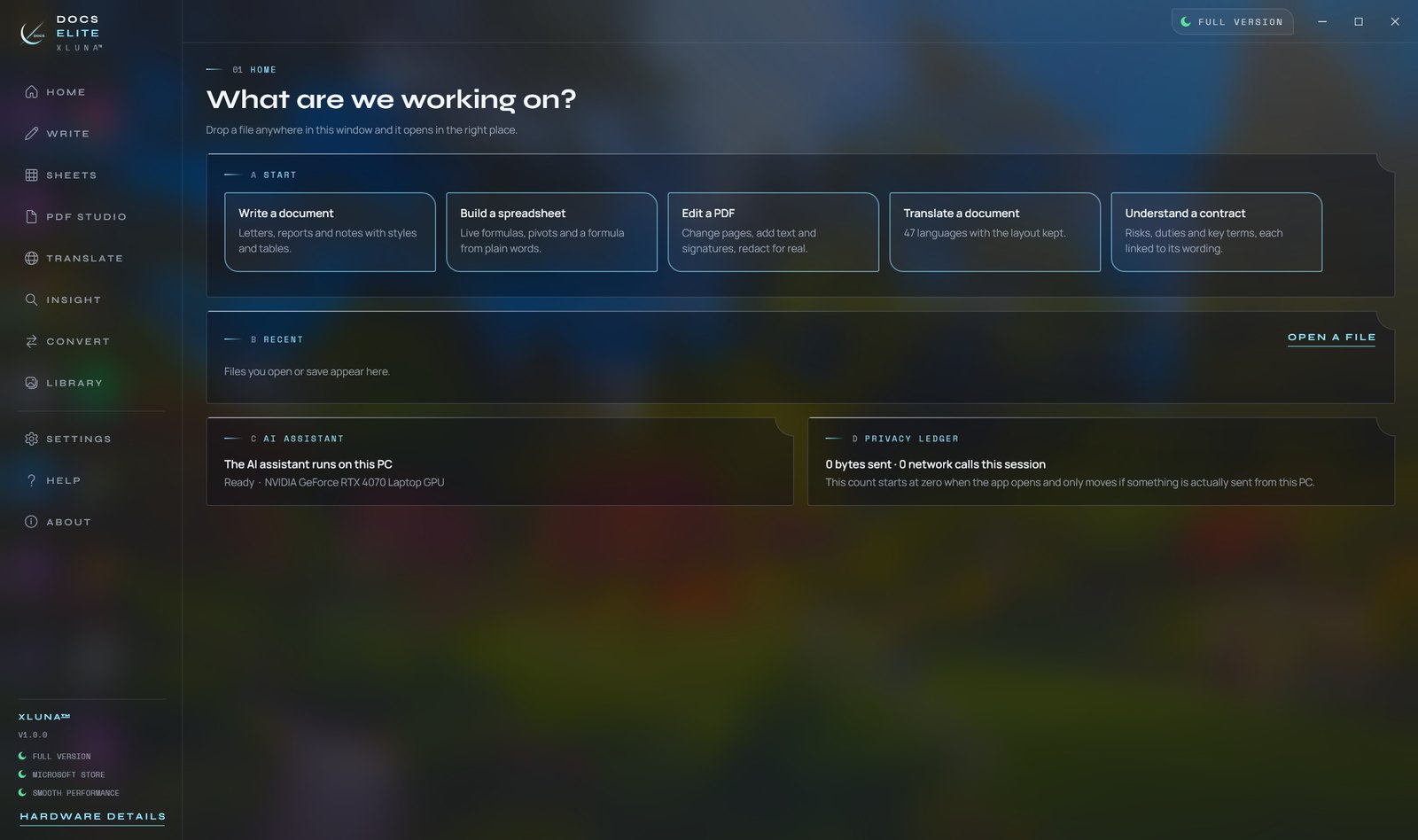
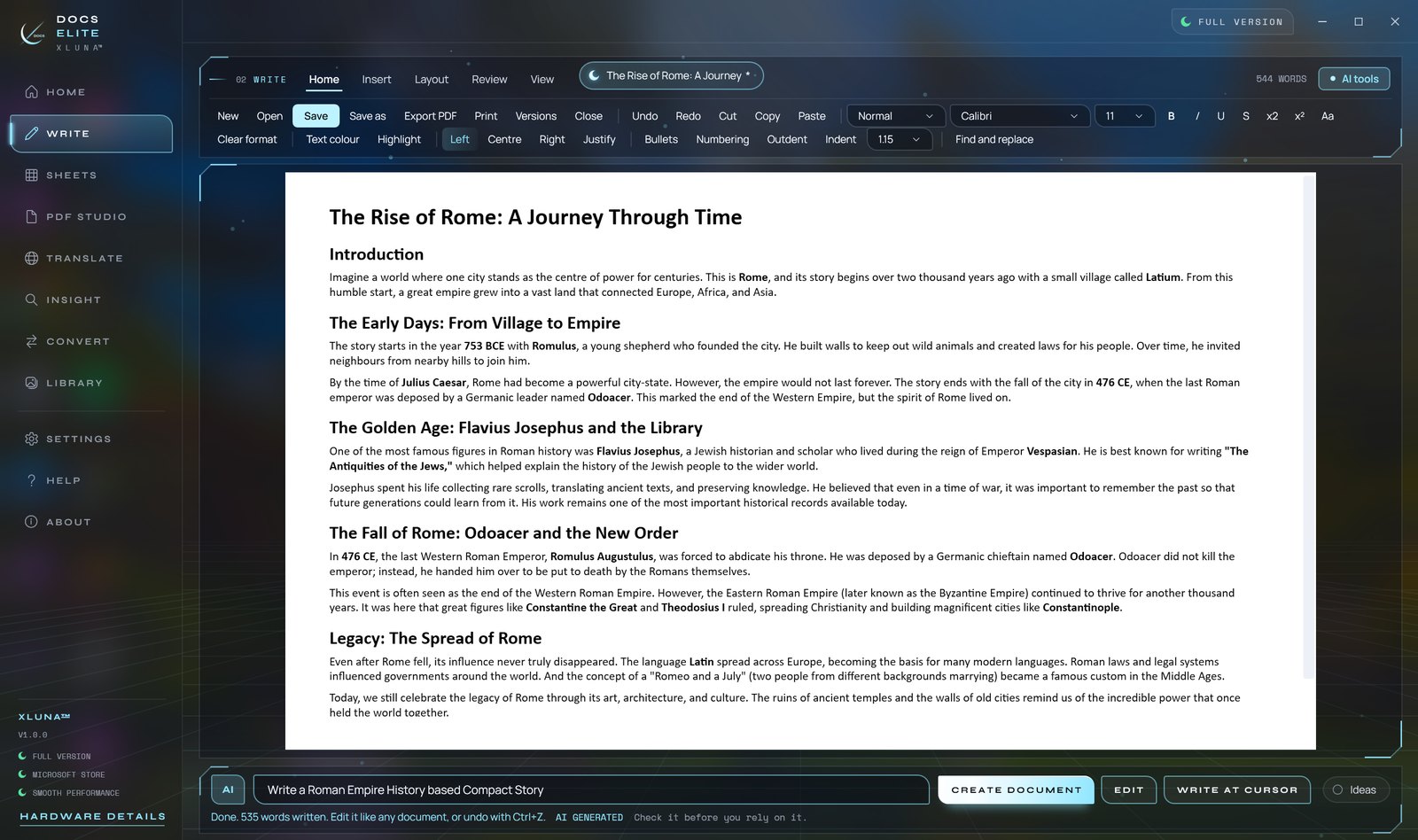
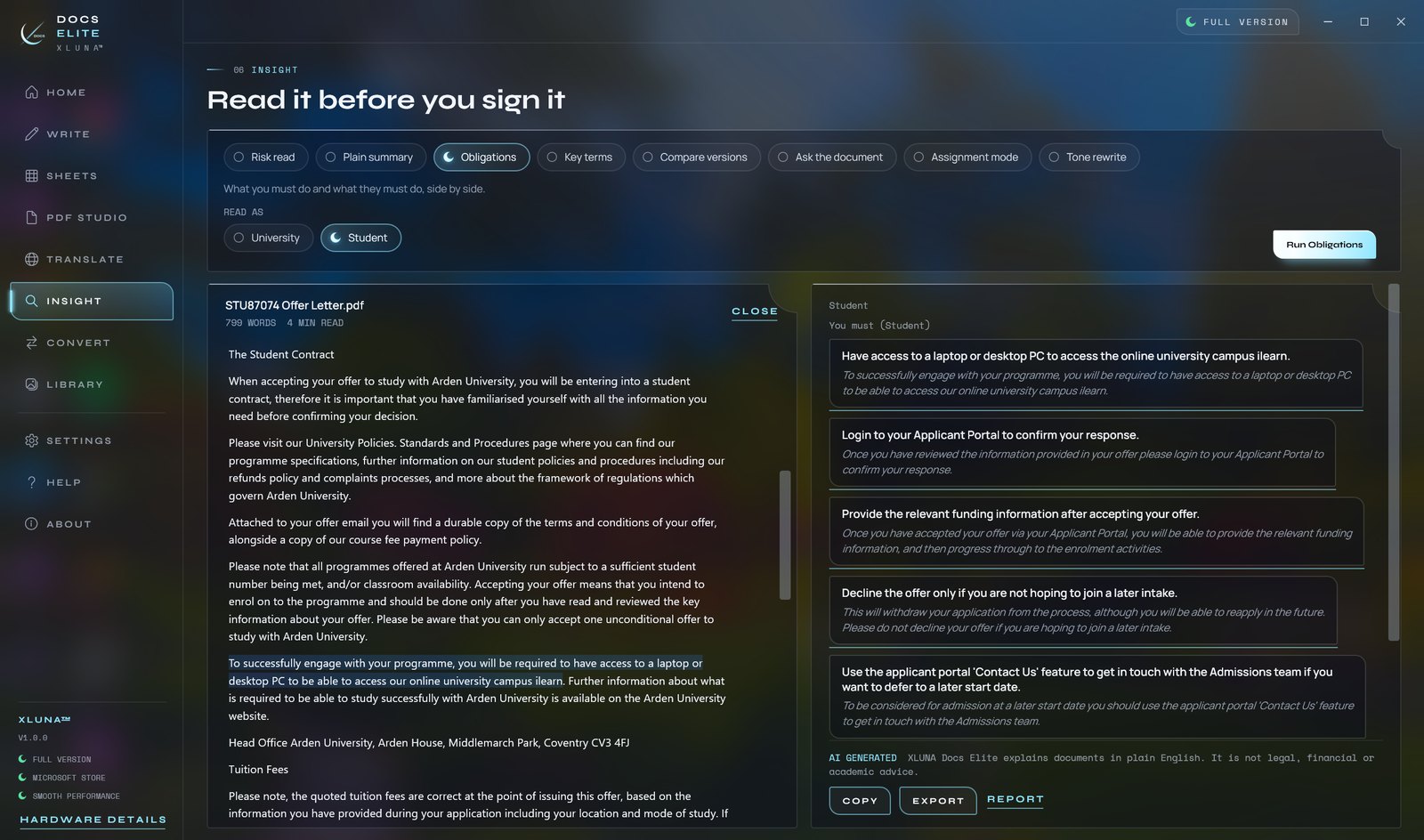
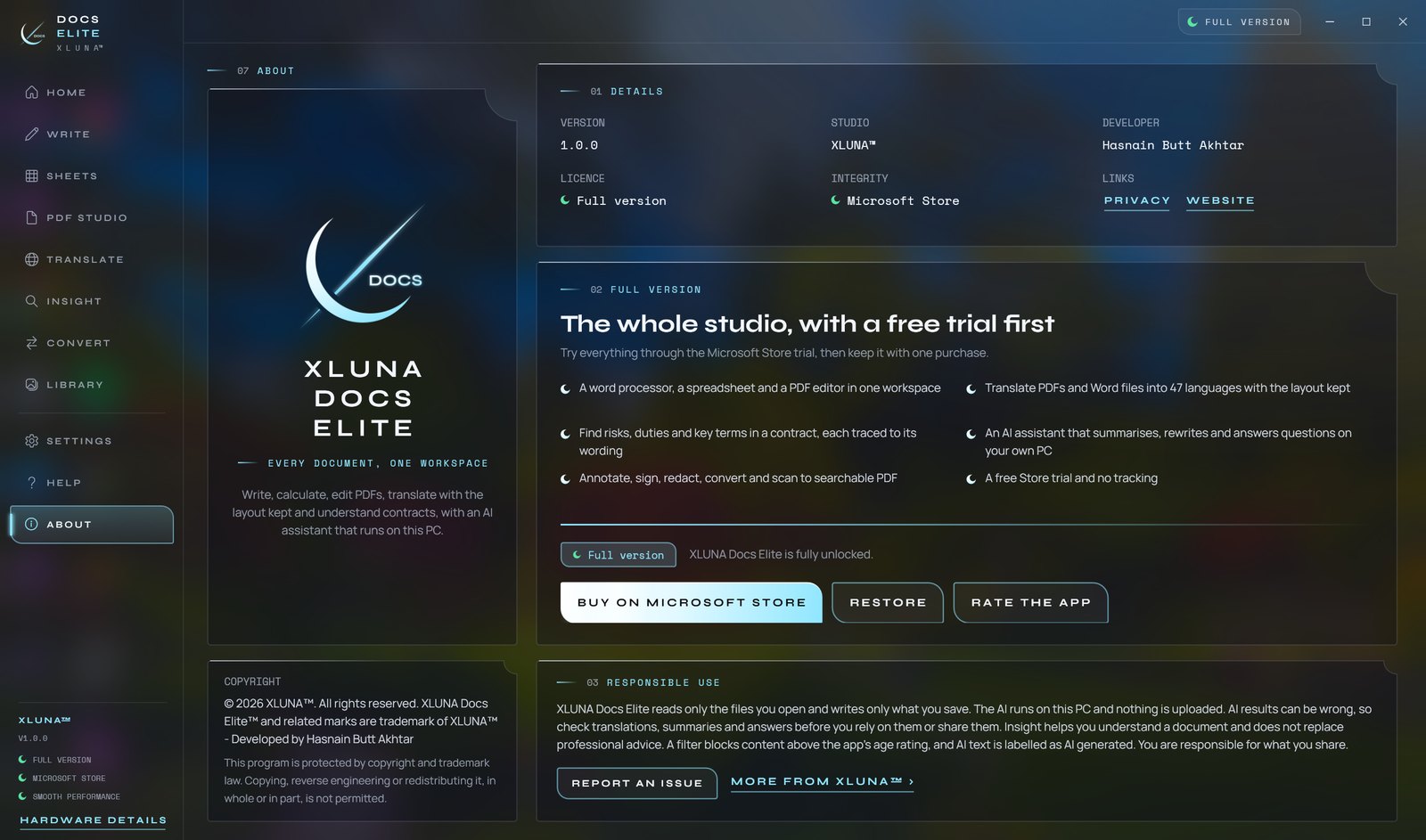
Before you install
- Platforms
- Windows 10 (version 2004 or later) and Windows 11, x64
- Pricing
- Single purchase, lifetime licence · the Store shows your local price
- Trial
- 24 hours with every feature
- Updates
- Included
- Account
- Not required
- Processor
- 4 cores minimum, 6 or more recommended
- Memory
- 8 GB minimum, 16 GB recommended
- Graphics card
- None needed; the AI runs on the processor
- Storage
- About 6 GB free while installing
- Internet
- Not needed to work with documents
- Get it from
- Microsoft Store
- Developer
- XLUNA™
Your data stays on your PC
Read the full XLUNA Docs Elite privacy policy, or the studio's privacy-first promise.
XLUNA Docs Elite against the usual way
| Compared | XLUNA Docs Elite | A typical subscription app |
|---|---|---|
| How you pay | Once, and it is yours | A monthly or yearly fee |
| Account | None | Usually required |
| Your data | Stays on your PC | Often sent to company servers |
| Adverts and tracking | None | Common |
| Works offline | Yes, fully | Often not |
| Try before you buy | 24 hours, every feature | Often a limited free tier |
Questions before you buy
Does XLUNA Docs Elite upload my documents?
No. Your documents and everything you ask about them stay on your PC. The AI assistant runs on your own processor, and the app sends nothing to us.
Do I need a graphics card for the AI?
No. The AI runs on the processor, so it works on an ordinary PC with 8 GB of memory or more.
Can I rely on the translations and contract findings?
Check them before you rely on them. AI results can be wrong, which is why every finding links to its wording. XLUNA Docs Elite explains documents and does not replace professional advice.
Does it open Word and Excel files?
Yes. It opens and saves Word, rich text, text, Excel and CSV files, and converts documents to PDF, ODT, HTML and Markdown.
Do I need an account?
No. There is nothing to sign up for or sign in to. You install it from the Microsoft Store and it works.
What happens when the 24-hour trial ends?
The app asks you to buy it on the Microsoft Store to keep using it. Nothing is charged automatically, and your settings stay on your PC.
Try XLUNA Docs Elite free for 24 hours
Every feature switched on, on your own PC. If it earns its place, one payment keeps it for good, with updates included.